
AAWireless TWO vs MA1 vs CarlinKit 5.0: Features
Compare documented Android Auto compatibility, app controls and update paths, with a repeatable method for checking connection speed, heat and dropouts.
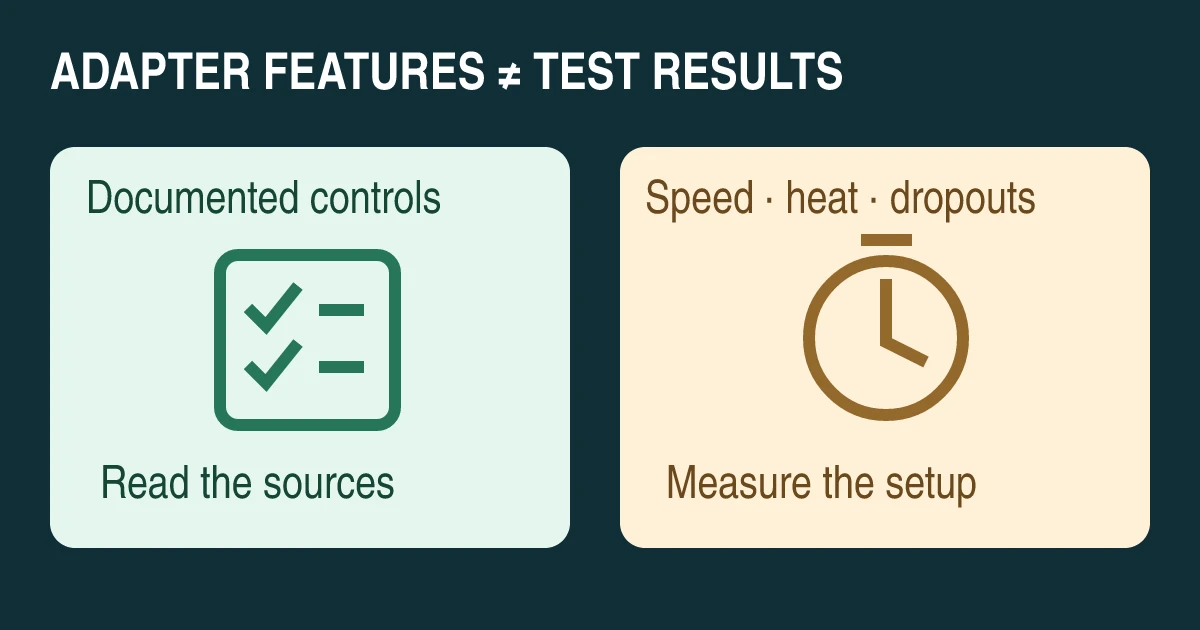
Editorial comparison diagram, not product photography or a record of a road test.
AAWireless TWO offers a documented companion app and phone-switching button; Motorola MA1 documents a Bluetooth-and-button setup; CarlinKit 5.0 (CPC200-2air) supports the corresponding wired Android Auto and CarPlay systems and has its own update workflow. Choose between these specific models by compatibility and the controls you need. The sources below do not establish which connects fastest, runs coolest or drops out least often in the same car.
This is a source-based comparison, not our hands-on review. We have no matched test logs for the three adapters. The timing and temperature checks below are a proposed method, with results deliberately left unknown. Start with the wired versus wireless Android Auto guide if your car’s connection modes are not yet confirmed.
Confirm the car and the exact adapter generation
Check that wired Android Auto works through the intended vehicle USB data port before evaluating a wireless bridge. Ordinary Bluetooth calls or a USB charging socket do not establish wired projection support. Record the car’s year, trim, market and head-unit version rather than relying on its model name alone.
Google’s wireless Android Auto requirements include a compatible phone with an active data plan and 5GHz Wi-Fi; Android 11 supports wireless projection. Vehicle compatibility remains a separate question, and Android Go is excluded. Each adapter’s own requirements also apply.
This comparison uses AAWireless TWO, not the original AAWireless or TWO+; Motorola MA1, not MA2; and CarlinKit 5.0/2air, model CPC200-2air, not CarlinKit 4.0/CP2A or an Android AI box. In particular, do not transfer TWO+ CarPlay features to TWO, or assume every product sold under a brand shares one configuration interface.
Compare the documented controls and compatibility
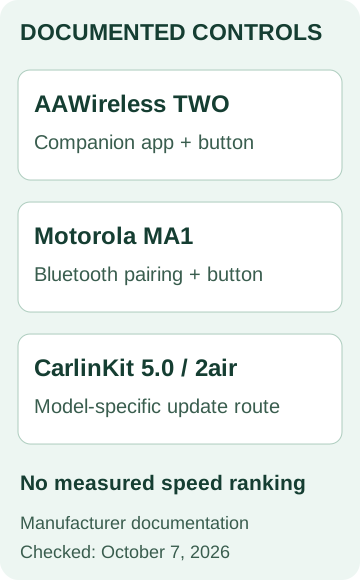
The table contains manufacturer statements and documentation scope. It contains no speed or reliability ranking.
| Model | Documented use | Controls or maintenance route | Check before ordering |
|---|---|---|---|
| AAWireless TWO | Wireless Android Auto from wired-only Android Auto; manufacturer lists Android 11 or later | Companion app; button for pairing, phone switching and standby | Exact car/head unit, phone and required app features |
| Motorola MA1 | Wireless Android Auto bridge for factory-fitted wired Android Auto | Manual describes Bluetooth pairing and adapter-button operation; no companion tuning app is documented in the reviewed guide | Vehicle and phone against MA1-specific support guidance |
| CarlinKit 5.0 / CPC200-2air | Wired Android Auto to wireless Android Auto; wired CarPlay to wireless CarPlay | Manufacturer publishes a 5.0/2air update procedure, including AutoKitool for Android | Native wired mode for the platform you intend to use, exact model and firmware instructions |
Sources: AAWireless TWO, MA1 support, MA1 user guide, CarlinKit 2air and its model-specific update instructions. See the access limitation in the method section below.
For CarlinKit’s dual-platform claim, verify each native wired function separately. Do not interpret it as proof that a CarPlay-only vehicle will acquire Android Auto through this model. For MA1, Motorola’s support wording says most compatible factory-wired vehicles; it is not an unconditional promise for every receiver.
App controls are useful only when they address your setup
AAWireless’s companion-app page documents setup, firmware updates, button configuration and device management. This gives you a documented configuration route to inspect before purchase. Confirm the settings available for your adapter and firmware instead of assuming every screenshot applies to every generation.
For MA1, use the official pairing and support instructions as the baseline. The absence of a tuning app in the reviewed manual means this comparison cannot credit MA1 with the same app controls. It does not justify inventing an unofficial app requirement or a claim about all future support options.
CarlinKit’s 5.0 update guidance directs Android users to AutoKitool and calls for stable Wi-Fi and power during updating. Follow the linked manufacturer instructions for the exact model. Do not use firmware for another CarlinKit family or treat an update tool as proof of an equally broad settings app.
Make one documented adjustment at a time, keep the original setting, and repeat the same observation. A collection of advanced options is not automatically a benefit if you cannot identify which one addresses the symptom.
Compare connection speed without inventing a fastest adapter
A useful timing result needs a defined start and finish. For a suggested parked-car comparison, start when the adapter receives power and finish when the Android Auto interface is usable. Record first-time pairing separately from later automatic reconnection; they measure different tasks.
Use the same phone, vehicle port and application versions for each adapter. Record firmware and settings. Repeat the same number of starts for each candidate, retaining failures as well as successful attempts. Report the middle result and the range, together with the number of attempts, rather than selecting one unusually fast connection.
These are suggested test definitions, not an industry standard. If vehicle USB power remains on after shutdown, record that fact: a warm reconnection should not be presented as a cold start. We have not performed this comparison, so all three models’ comparable boot times remain not measured here.
Record heat and dropouts as separate observations
A casing that feels warm is not a temperature measurement. For a controlled comparison, record ambient temperature, mounting position, ventilation, run duration and the same measurement method and surface location. Keep phone charging and other connected devices consistent. Do not infer a safe operating limit or internal component temperature from a surface reading.
For reliability, distinguish an Android Auto session ending from an individual app failing, audio stuttering or a phone losing mobile data. Record the event, duration, recovery and conditions. A dropout count without session duration cannot support a meaningful comparison. If a route-specific issue needs observation, a passenger should record it; the driver should not operate settings or logging tools while driving.
| Comparison field | AAWireless TWO | MA1 | CarlinKit 2air |
|---|---|---|---|
| Matched cold-start time | Not measured here | Not measured here | Not measured here |
| Surface temperature under matched conditions | Not measured here | Not measured here | Not measured here |
| Dropouts per recorded session duration | Not measured here | Not measured here | Not measured here |
Use our Android Auto disconnection checks to separate the baseline symptom from a suspected adapter fault. A support article acknowledging a possible problem is not a measured population-wide failure rate.
Choose by the requirement you can verify
Consider TWO when its documented app and phone-switching controls solve a specific need. Consider MA1 when its documented Android Auto bridge and pairing workflow fit your supported vehicle and phone. Consider 2air when you need the corresponding Android Auto and CarPlay paths and have confirmed both native wired functions. These are conditional shortlists, not performance winners.
Before purchase, retain the exact model listing, compatibility confirmation, seller’s return terms and official support route. If fast reconnection or long-session stability is the deciding factor, seek a test matching your vehicle and phone or plan a controlled check within the applicable return conditions. No feature table can substitute for that missing evidence.
Method and sources
Checked October 7, 2026. This AI-assisted editorial comparison uses the manufacturer pages and MA1 manual linked above, plus Google’s compatibility guidance. Manufacturer descriptions establish advertised features, not independent comparative performance. No product was tested for this article; no star rating or measured winner is assigned.
AAWireless and Motorola documentation was read directly. CarlinKit’s official product and update pages were available as indexed source text, but direct access returned HTTP 403 during preparation. Their listed functions are therefore provisional documentation claims to reconfirm for the supplied model. Conflicting low-level specifications were omitted. The article’s checks and blank results table are editorial tools, not completed experiments.
Related articles
Wireless Android Auto Adapters and In-Car Connectivity Guide
Cut the cord in your car. How plug-and-play wireless Android Auto dongles connect over Bluetooth and 5GHz Wi-Fi, resolve latency, and maintain stable projection.
Read article
Android Auto Keeps Disconnecting: A Fix Order That Saves Time
Separate USB, wireless and app failures, test one change at a time, and prepare a useful support record before resetting Android Auto or buying replacements.
Read article
Wired vs. Wireless Android Auto: Which Setup Fits Your Car?
Compare wired and wireless Android Auto by actual vehicle support, setup, charging and daily use. Includes a decision guide and a parked-car test worksheet.
Read article