
USB-C DisplayPort Alt Mode: Android Phone Support List
Samsung's DeX cable and HDMI series, Google's Pixel 8 and later wired steps, and the VESA lane rates behind a USB-C DisplayPort adapter.
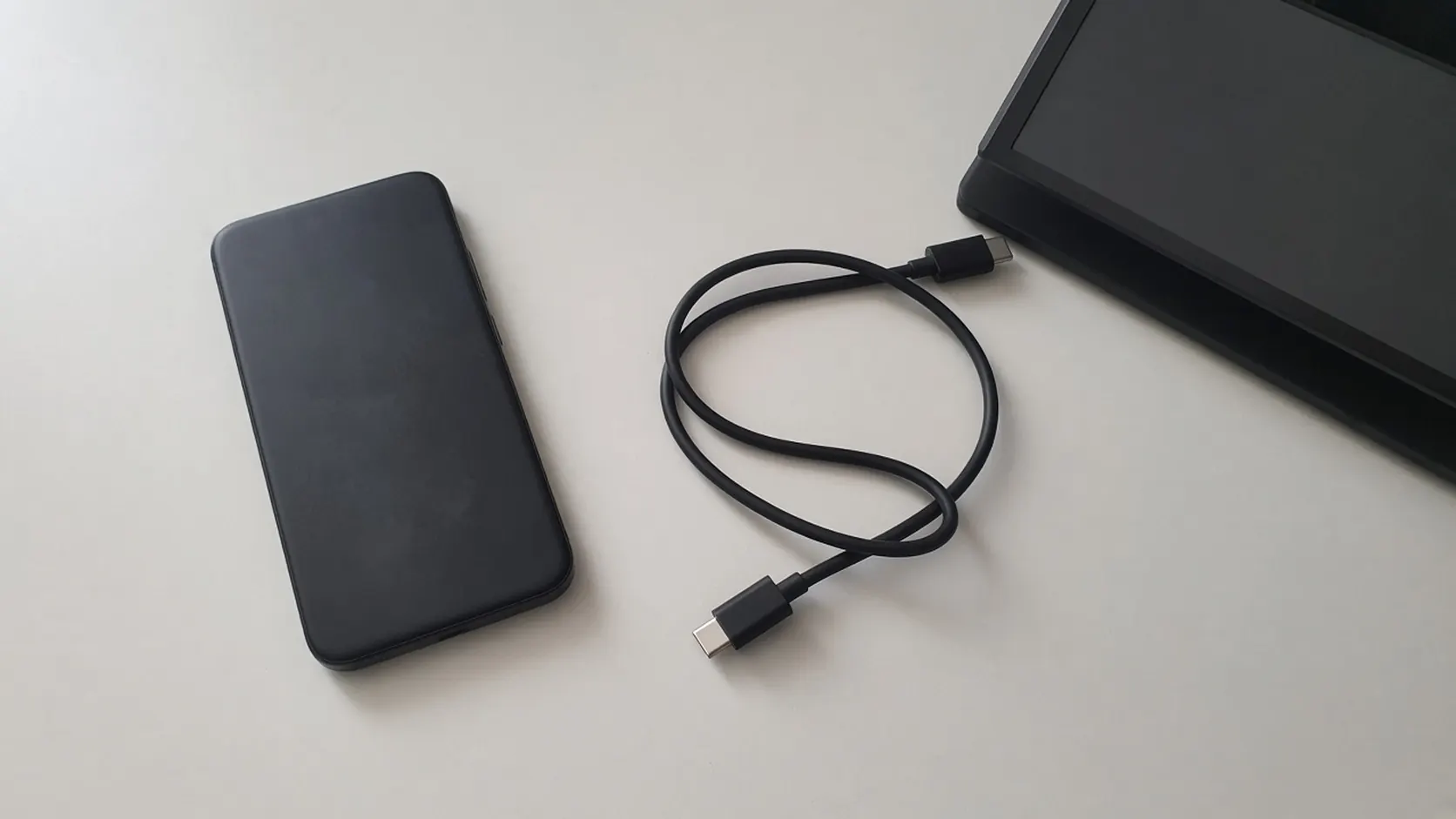
A USB-C plug does not show whether the phone can put video on those wires.
A USB-C port that only charges fails a wired monitor when the phone never puts video on the high-speed lanes. USB-C DisplayPort Alt Mode is a lane assignment, and an Android phone support list is only as long as the maker’s own page.
On 20 October 2026, two maker pages name wired video, and neither page is a universal Android list. Samsung’s US DeX FAQ lists the Galaxy series that work with a DeX cable or an HDMI cable, and a second Samsung page says a standard USB-C to HDMI adapter can start DeX. Google’s screen-projection page puts cable steps under the heading “Pixel 8 and later” and requires a display that supports a DisplayPort or HDMI to USB-C cable. VESA’s 22 September 2014 announcement is the lane map those adapters assume: some or all of four SuperSpeed lanes carry DisplayPort.
The dock check that sits beside this list is USB-C video output on Android. The topic home is Android compatibility.
Scroll horizontally to see all columns.
| Input | What the retrieved page actually names | Why a buyer stops there |
|---|---|---|
| Alt Mode lanes | VESA, 22 September 2014: up to four SuperSpeed lanes, plus AUX and hot-plug | A passive HDMI adapter needs a video source, not just USB power |
| Early four-lane example | 5.4 Gbit/s per lane, 4096 × 2160 at 60 Hz, up to 30-bit color | That rate is the 2014 example, not a phone spec sheet |
| Two-lane dock example | 8.1 Gbit/s on two lanes, 4K UHD 3840 × 2160, USB on the other two | Video and SuperSpeed can share the cable |
| Samsung wired DeX | DeX cable or HDMI list below, plus a standard USB-C to HDMI adapter | Series names, not every Galaxy SKU |
| Google wired projection | Pixel 8 and later, DisplayPort or HDMI to USB-C, then Mirror display | The heading excludes earlier Pixels from those steps |
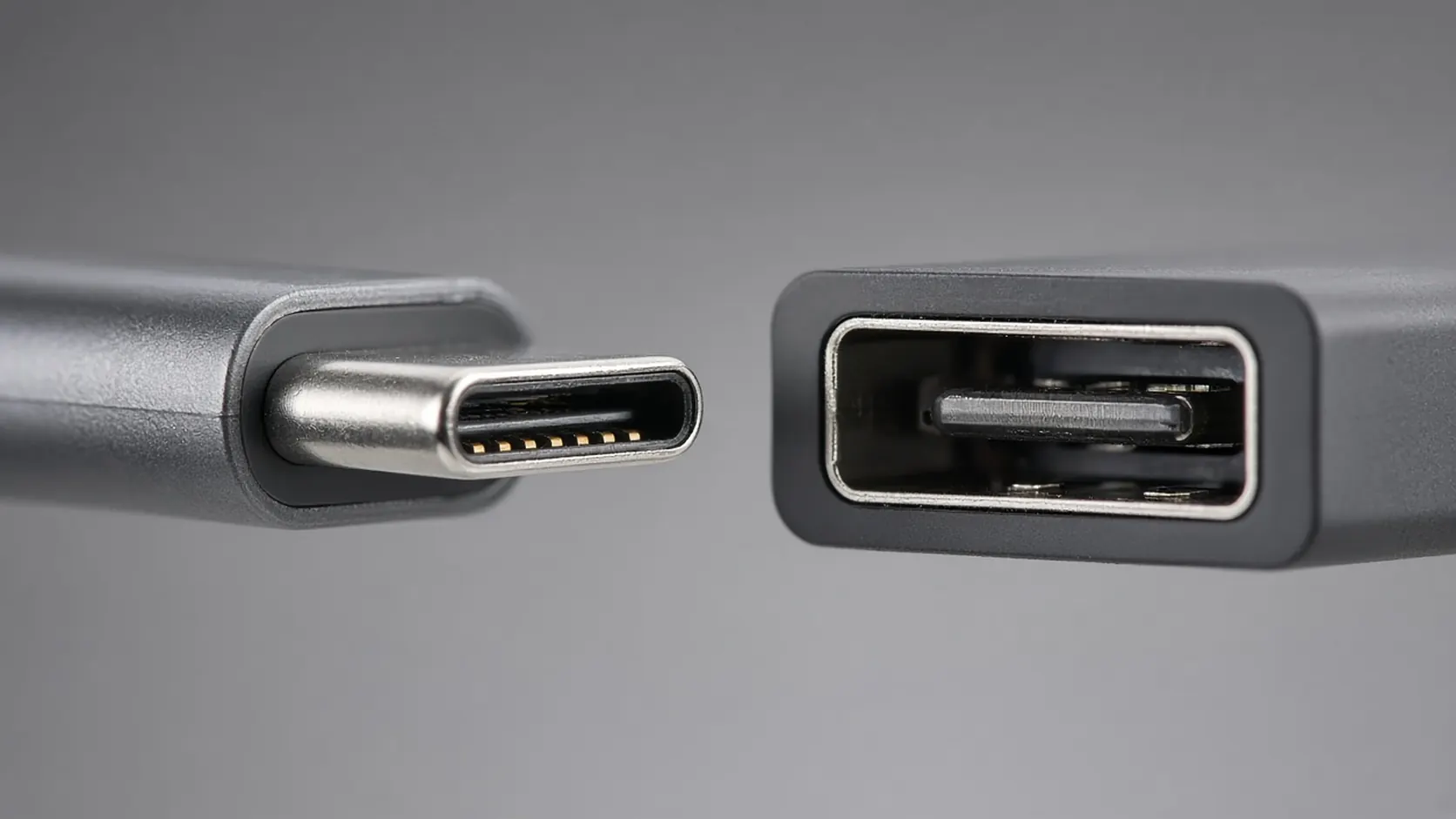
The metal tongue is the same shape on phones that only charge and phones that also send DisplayPort. The connector does not settle the list.
Which Galaxy series does Samsung put on a cable?
Samsung’s US DeX FAQ, retrieved 20 October 2026, groups “DeX cable or HDMI cable” like this. A series name is the whole series Samsung wrote. This page does not split “S23 series” into unlisted storage or carrier variants.
Scroll horizontally to see all columns.
| Group | On the DeX cable or HDMI list | Samsung’s exclusion on that same page |
|---|---|---|
| Galaxy S phones | S8, S9, S10, S20, S21, S22, S23, S24, S25, and S26 series | None stated inside this cable heading |
| Galaxy Note phones | Note8, Note9, Note10 series, Note 20 series | None stated inside this cable heading |
| Foldables | Fold, Z Fold2, Z Fold3, Z Fold4, Z Fold5, Z Fold6, Z Fold7, Z TriFold, Z Flip7, Z Fold8, Z Fold8 Ultra, Z Flip8 | Z Flip7 FE and previous Flip series are not compatible with DeX by DeX cable, HDMI cable, DeX on PC, or wireless DeX to a TV or monitor |
| Galaxy A phones | A90 5G | No other A-series phone is named |
| Tablets | Tab S4, Tab S5e, Tab Active Pro, Tab Active 3, Tab S6, Tab S7 series, Tab S8 series, Tab S9 series, Tab S10 series, Tab S11 series, Tab S12 series, Tab A11+ | Tab S9 FE, Tab S9 FE+, Tab S10 FE, Tab S10 FE+, and Tab S10 Lite are not compatible with HDMI output |
Wireless DeX is a shorter S-phone list on the same FAQ: it starts at the S9 series, not the S8 series. An S8 on the HDMI list is not evidence for wireless DeX. DeX on PC is a third path. The FAQ says DeX on PC is not supported on the S26 series, S25 series, Z TriFold, Z Fold7, Z Flip7, Z Fold8, Z Fold8 Ultra, Z Flip8, or other models updated to Android 15 and One UI 7 or later. That PC limit does not remove those phones from the HDMI list above.
Where Pixel wired video starts
Google’s help page “Project your Pixel phone’s screen,” retrieved 20 October 2026, titles the cable section “Connect your phone to a display device (Pixel 8 and later).” The steps are: plug DisplayPort or HDMI into the display, plug USB-C into the phone, then select Mirror display. The page’s important line says the display must support a DisplayPort or HDMI to USB-C cable. Phones before Pixel 8 are outside that heading. This list does not add Pixel 7 or earlier on the strength of a USB-C port.
Rules of thumb for a passive adapter
Rules of thumb. If the phone’s series is on Samsung’s DeX cable or HDMI list, Samsung’s setup page also says a standard USB-C to HDMI adapter can start DeX. If the phone is Pixel 8 or later, use Google’s DisplayPort or HDMI to USB-C steps, not the Samsung series table. If the phone is a Z Flip7 FE or an earlier Flip, Samsung says it is not compatible with DeX over an HDMI cable. If the model is absent from both pages, this list does not promote it to supported.
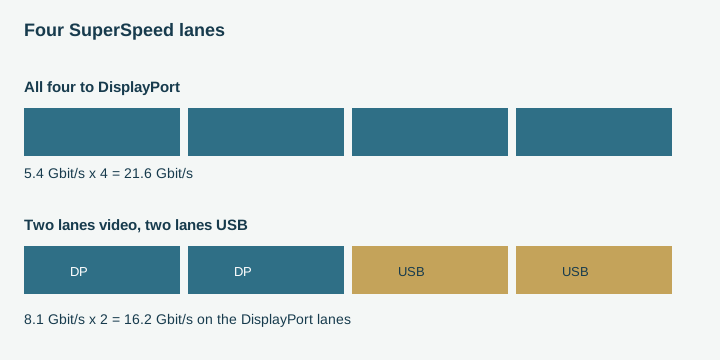
VESA’s 2014 announcement: four lanes can all carry DisplayPort, or two can stay on SuperSpeed USB. Schematic of the published examples, not a trace from a phone.
Work the lane rates VESA printed
Aggregate lane rate is the per-lane rate times the number of lanes:
A = n × R
Worked example. VESA’s early Alt Mode case uses existing DisplayPort 1.2a rates of 5.4 Gbit/s per lane on all four lanes.
A = 4 × 5.4 = 21.6 Gbit/s
VESA ties that 21.6 Gbit/s case to up to 4K at 4096 × 2160, 60 Hz, and up to 30-bit color. The same announcement’s dock example keeps two lanes for DisplayPort at 8.1 Gbit/s:
A = 2 × 8.1 = 16.2 Gbit/s
and still names 4K UHD at 3840 × 2160, with SuperSpeed USB on the other two lanes up to 10 Gbit/s in each direction. USB 2.0 can remain when all four lanes are on DisplayPort, because those pins are separate. None of these products is a Galaxy or Pixel measurement. Use them only after the phone’s own page says the wired path exists.
What a blank screen costs
Example of a dark panel beside a cable. The photograph is not a captured phone test.
Scroll horizontally to see all columns.
| Path | Dominant failure mode | Prevention |
|---|---|---|
| Passive USB-C to HDMI | The phone is not on Samsung’s HDMI list and is not a Pixel 8 or later | Read the series row before buying the adapter |
| Wireless DeX treated as Alt Mode | S8 is on the HDMI list and off the wireless list, which starts at S9 | Keep the cable list and the Miracast list apart |
| DeX on PC treated as HDMI | Newer Galaxy phones lose DeX on PC after the One UI 7 note and still sit on the HDMI list | Use the HDMI row for a monitor, not the PC row |
| Earlier Pixel | The cable heading is Pixel 8 and later | Do not copy Pixel 8 steps onto an earlier phone |
| FE tablets | Tab S9 FE, S9 FE+, S10 FE, S10 FE+, and S10 Lite are called out as not compatible with HDMI output | A “Tab S9 series” or “Tab S10 series” row does not override that note |
A planning count, not a street price: one phone outside the HDMI list is one adapter the note already rules out. Ten such phones are ten wasted adapters.
Where the list stops
Samsung’s rows are series names from the US FAQ retrieved 20 October 2026. A regional support page can name a shorter set. Google’s heading is “Pixel 8 and later,” not a table of every later Pixel SKU. VESA’s lane figures are from the 22 September 2014 announcement. A phone can add USB4 or a different video mode in a later software note; until that note names the model, it stays off this list.
Methods and sources
Series rows are copied as groups from Samsung’s US DeX FAQ. The USB-C to HDMI adapter sentence is from Samsung’s “Use the Samsung DeX screen” page. Pixel steps are from Google’s screen-projection help. Lane rates are from VESA’s Alt Mode announcement. All four pages were retrieved 20 October 2026. The arithmetic multiplies only the rates those sentences print.
- Samsung, Frequently asked questions about Samsung DeX (retrieved 20 October 2026).
- Samsung, Use the Samsung DeX screen (retrieved 20 October 2026).
- Google, Project your Pixel phone’s screen (retrieved 20 October 2026).
- VESA, DisplayPort on the USB Type-C connector (announcement 22 September 2014; retrieved 20 October 2026).
Related articles
USB-C Video Output on Android: How to Check Before Buying a Dock
Confirm the phone's documented video path, then separate DisplayPort lanes, a 60W or 240W cable logo, and a PPS charger before you buy a dock.
Read article
Android eSIM: How to Check Phone and Carrier Support
Check the exact Android phone, the carrier activation path, and which lines can stay enabled before you buy or transfer an eSIM.
Read article
Android USB OTG: What It Is and What to Check Before Buying an Adapter
Confirm the phone can source VBUS, then separate a Micro-AB ID pin, a USB-C plug with Rd, and a PPS charger before you buy an adapter.
Read article