
Will a Phone Case Stop Wireless Charging?
Decide whether a phone case stopped wireless charging by checking material, coil alignment, and heat, with the millimeter cell left blank.
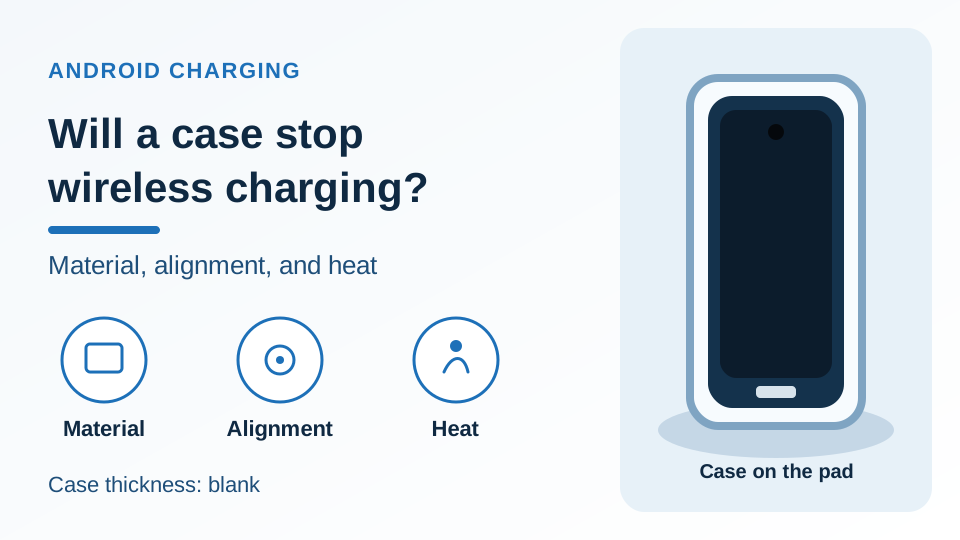
Three checks for a case on a wireless pad. The handset is a generic drawing: one centered punch-hole, one centered USB-C port, blank bottom edge. The thickness field is blank.
Leaving a case on the phone can waste a working wireless pad when the session fails. Wireless charging case compatibility is the material between the coils, the alignment of those coils, and heat that pauses the charge.
A phone case stops wireless charging when metal or a magnet is on the back, when the phone maker tells you to take that case off, or when the phone sits off the pad. On Pixel 10 and later, except Pixel 10a, Google says the case has to be compatible with Qi2, and a case without Qi2 support comes off. On Pixel 9a and earlier, a thick or metallic case, including a magnet or a ring holder, can affect charging or stop it, and that help page leaves thickness in millimeters blank. Qi Version 1.1 says Foreign Object Detection prevents heating of metal objects near an active transmitter. These checks sit in the Android charging guides. If the case is already off and the percentage still crawls, use the slow-charging check order.
Scroll horizontally to see all columns.
| Input | Printed value | Why it matters |
|---|---|---|
| Case thickness | The saved Pixel and Qi pages leave millimeters empty | |
| Coil gap through a case | No saved page prints a distance | |
| Temperature cutoff | No saved page prints a degree where charging must pause | |
| Pixel 10 and later, except Pixel 10a | Qi2. The case has to be compatible with Qi2 | Magnets on that profile align the phone and the accessory |
| Pixel 9a and earlier, slow or unsteady | Thick or metallic cases, magnets, or ring holders can affect charging or stop it | Take the case off before you replace the pad |
| Qi1.x charger on Pixel 10 and later | Still works, slower, at up to 5W | That slower rate is the figure in this sentence |
| Qi2 on the WPC standards page | 15W, with magnetic attachment | The page credits the magnets for alignment |
| Qi2 25W, and Version 2.2 | Nearly 70% more charging power than Qi2. Version 2.2 lists up to 25 watt | The arithmetic below uses those watt figures. It is a profile comparison |
Start with the case material and thickness
Take the case off when the saved page for that phone says the material can stop the session, and keep the millimeter cell blank. Plastic, silicone, and leather are absent from the Pixel and Qi pages saved for this article, so those materials stay ungraded here.
Google’s charge page splits wireless charging by phone. The opening note says wireless charging is available on Pixel 3 and later, except Pixel 3a, Pixel 4a, Pixel 4a (5G), Pixel 5a, and Pixel 6a. The Pixel 9a and earlier section says wireless charging is unavailable on Pixel 3a, Pixel 4a, Pixel 4a (5G), Pixel 5a (5G), and Pixel 6a. The first list prints Pixel 5a. The second list prints Pixel 5a (5G). Keep the spelling that belongs to the section you used.
On Pixel 10 and later, the same page says those phones will not charge wirelessly on Pixel Stand 1st gen or 2nd gen. Qi2 support in the next lines is Pixel 10 and later, excluding Pixel 10a. Google calls Qi2 a magnetic charging technology and says the magnets align the phone and the accessory. The case line in that section is direct: make sure the phone case is compatible with Qi2 charging. The tip under it says that if the case does not support Qi2, take it off, because it might affect charging.
On Pixel 9a and earlier, use a Qi 1.x wireless charger or a Pixel Stand that works with that phone. MagSafe wireless chargers do not work with Pixel 9a and earlier phones. Put the charger on a stable surface and keep it away from metal or magnets, which the page says can affect charging. The best-experience line for a slow or unsteady session is to take the phone case off. Thick or metallic cases, including magnets or ring holders, can affect charging or stop it completely.
Pixel 9 Pro Fold has its own note. It does not support the Pixel Stand because of the wireless charging coil position, and it supports other Q1.x wireless chargers. The page tells you to confirm placement with the phone’s charging indicator, and it points to a gray circle on Google’s own image for the coil. The coil location stays on that image. The thick-case sentence above sits in the Pixel 9a and earlier section.
The won’t-charge page adds a case step for a Pixel that will not charge: remove the phone case so it does not interfere with the charging plug or the wireless charger, and use a wired charging plug for best charging performance. A separate line says accessories such as cases or battery packs should not cover sensors or press buttons.
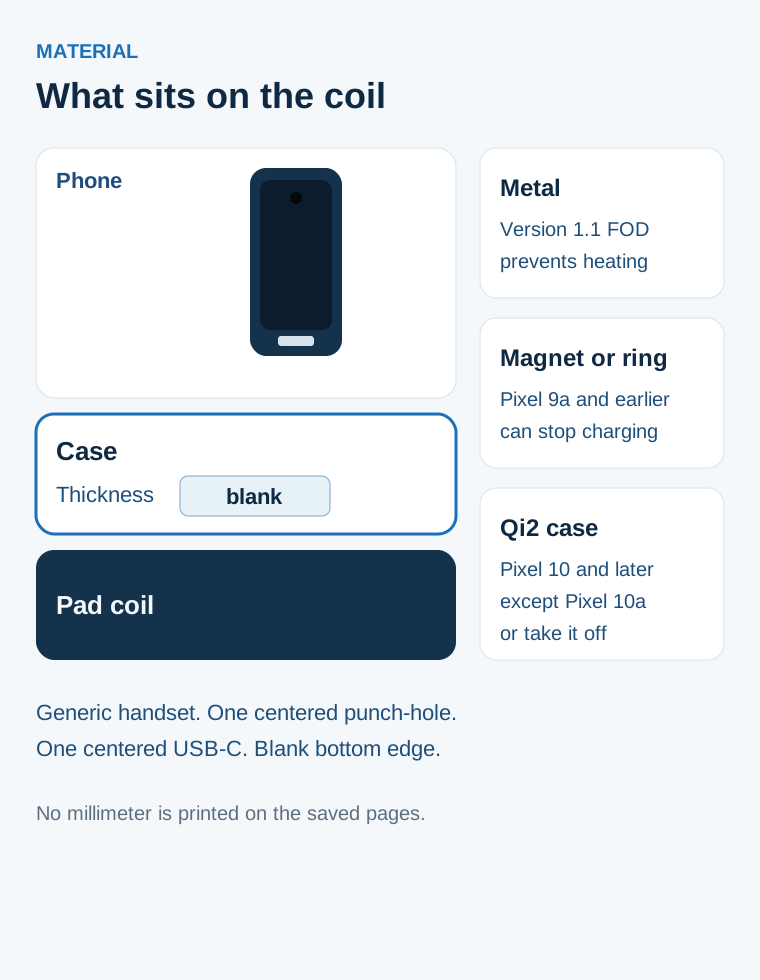
Figure 1. The case is the layer between the phone and the pad. Thickness stays blank. Metal, a magnet or ring, and a Qi2 case are three different notes from the saved pages.
Rule of thumb. If the phone is a Pixel 10 or later, other than a Pixel 10a, and the case does not support Qi2, take the case off before you judge the pad. Google’s charge page says that case might affect charging.
Rule of thumb. If the phone is a Pixel 9a or earlier and the pad session is slow or unsteady, take the case off. The same page says a thick or metallic case, including magnets or a ring holder, can affect charging or stop it. Millimeters stay blank.
The Wireless Power Consortium’s history of the Qi specifications, Version 1.1 (March 2012), says increased sensitivity of Foreign Object Detection prevents heating of metal objects near an active transmitter. A metal plate in a case is a metal object near the transmitter, which is the object that sentence names. Version 1.2 (October 2015) says changed limits for Foreign Object Detection improve the sensitivity. Version 2.2 (April 2025) lists a mated Q-factor check to verify the absence of a foreign object before power transfer starts, and power-loss calibration for Foreign Object Detection above 15 watt. Those are specification lines. Thickness and temperature stay blank.
Version 2.1 (September 2024) lists support for Magnetic Accessory Covers, the MCPE and MCPM profiles. The history page prints the profile names and stops there. The same version lists a requirement and test for mechanical obstructions, and its example is protruding cameras close to the charging area of a phone.
Scroll horizontally to see all columns.
| What you see | Dominant failure mode | Prevention |
|---|---|---|
| Slow or unsteady pad session, Pixel 9a or earlier, case still on | Thick or metallic case, magnet, or ring holder | Take the case off and retry |
| Pixel 10 or later, except Pixel 10a, case without Qi2 support | The case can affect charging | Take the case off |
| Metal plate, ring holder, MagSafe object, or PopSocket on the back | Metal or a magnet near the coil | Remove it. Version 1.1 Foreign Object Detection is the heating control for metal near an active transmitter |
| Pixel Stand on Pixel 10 and later, or on Pixel 9 Pro Fold | The stand is outside what that section allows | Use the charger the section names. The Fold section prints Q1.x chargers other than the Stand |
| Slow only after 80% while Adaptive Charging is active | Expected slow tail on the Pixel slow-wireless page | Leave that tail in place |
When you need the model code and the watt line printed for that Pixel, use the model-by-model accessory check. The charge page points wireless watts to the Battery and charging section of Pixel hardware specs. The Qi2 sentence itself leaves that phone’s Qi2 watt on the hardware page.
Alignment matters as much as the case
Reseat the phone when the coils miss each other. Google’s car steps take the case off first, then put the phone on the center of the pad. A Qi2 pair uses magnets to hold that alignment.
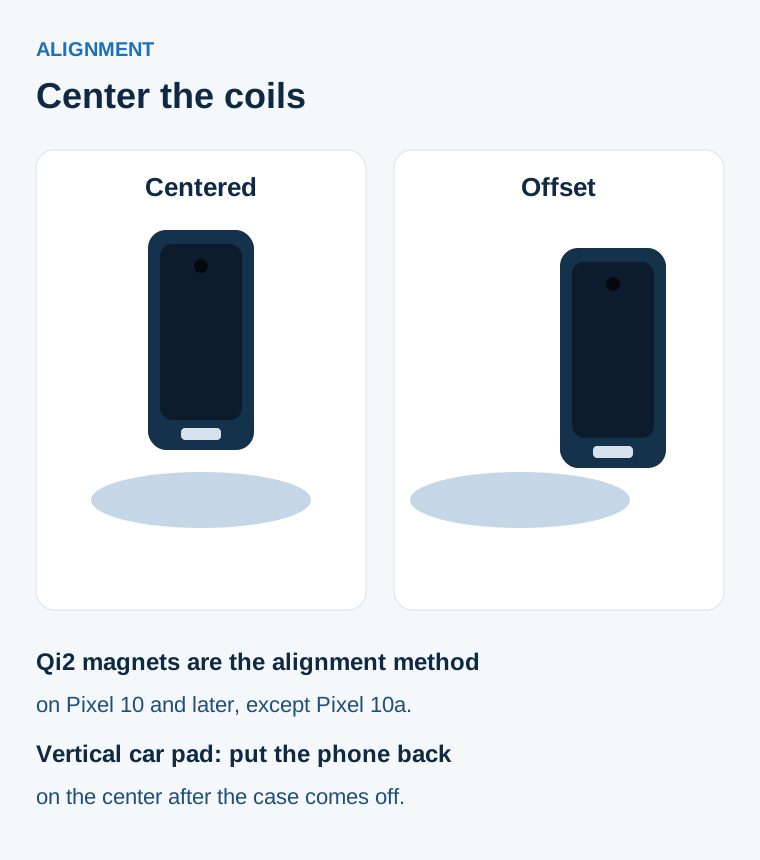
Figure 2. Centered means the phone sits on the middle of the pad. Offset means the phone sits off that middle. Both handsets are generic drawings.
Google’s charge page says Qi2 magnets make sure the phone and the accessory are aligned. That sentence is in the Pixel 10 and later section, and Pixel 10a is outside the Qi2 lines. The Wireless Power Consortium’s standards page says Qi2 devices use magnetic attachment technology which aligns devices and chargers perfectly for improved energy efficiency, faster charging, and easier usability. Version 2.0 (April 2023) of the history page introduces the Magnetic Power Profile and lists magnetic attachment and alignment of a power transmitter and a power receiver. The same version says Qi v2.0 are not required to be 100% backwards compatible with Qi 1.x certified products. Specifications with the same major revision number are backward and forward compatible. Version 1.x and Version 2.x use different major revision numbers.
Google’s charge page still says older Qi chargers such as Qi1.x work on Pixel 10 and later, and that they charge the phone slower at up to 5W. For Qi2, confirm the product in the Wireless Power Consortium product database and use a version number that starts with 2. The page names a Pixelsnap Charger as an example of a Qi2-certified charger for the fastest wireless speeds on that section. Pixel 9a and earlier stay on a Qi 1.x charger or a Pixel Stand that works with the phone, and MagSafe wireless chargers do not work on those phones. A magnet on a Qi2 Pixel, a MagSafe charger on an older Pixel, and a ring on the back are three different objects.
The won’t-charge page has a car sequence for intermittent charging on a Qi2-certified Pixel 10, Pixel 10 Pro, Pixel 10 Pro XL, or Pixel 10 Pro Fold, and it points at certain Qi1-certified in-vehicle wireless chargers. Remove the phone from the car pad. Remove any phone case, PopSocket, magnetic attachment, or other accessory. Place the phone back on the center of the pad. Check whether charging starts. The page says this issue is common with vertical in-vehicle chargers because the charging coils in the phone and the charger may not align perfectly. If it continues, use a wired connection. Google then says to contact the vehicle or charger manufacturer about compatibility with Qi2-certified devices, and to use a Qi2-certified charger for a reliable wireless session.
Version 2.1 also lists support for Automatic Alignment Profile (AAP) power transmitters. The history page names the profile and leaves cases out of that bullet. The mechanical-obstruction test in the same version uses protruding cameras close to the charging area as its example. The millimeter cell for a case stays blank.
The standards page says Qi2 brought faster 15W charging, and that Qi2 25W delivers nearly 70% more charging power. The history page’s Version 2.2 line is support for up to 25 watt power transfer. Arithmetic on the 15W figure and the 25 watt figure:
(25 W - 15 W) / 15 W = 10/15 = 2/3
Two-thirds is the ratio of those two watt figures. The standards page’s own words for the increase are “nearly 70% more charging power.” The same paragraph says Qi2 25W can safely charge a smartphone battery from 0 to 50% in about 30 minutes. That sentence names Qi2 25W. The ratio is a profile comparison, and the 30 minutes are the consortium’s statement for that profile.
Rule of thumb. If a Pixel 10, Pixel 10 Pro, Pixel 10 Pro XL, or Pixel 10 Pro Fold charges on and off on a car pad, remove the case and every attachment, then set the phone on the center. Google’s won’t-charge page gives that sequence before a new charger.
On the Pixel 9a and earlier setup, the charge page says to avoid moving or using the phone too much while it charges wirelessly, because that can break the connection. Reseat once, then leave the phone still.
Watch for heat and slow charging
Cool the phone before you decide the pad is weak. Google’s slow-wireless page puts case removal inside the overheating check, ahead of the alignment line.
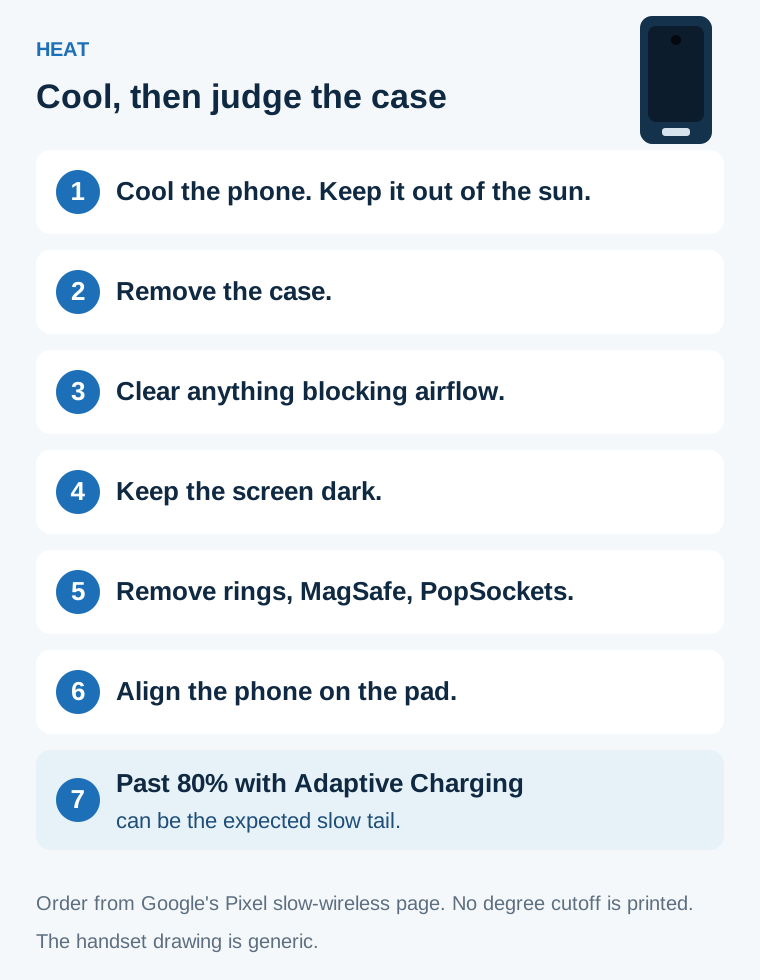
Figure 3. The order on Google’s Pixel slow-wireless page. No degree cutoff is printed, so none is drawn.
Let the phone cool, and keep it out of direct sun and away from other heat sources. Remove the phone from its case. Check whether chargers are blocking airflow. Keep the screen dark while charging. After it cools, restart and look for apps running in the background. Poor wireless or cellular coverage makes the phone use more power. The page’s tip is Airplane Mode when you have to charge in a weak-coverage spot. Then remove metallic or magnetic objects. The examples are ring holders, Apple MagSafe, and PopSockets. Then align the phone on the wireless charger.
The same page says that when Adaptive Charging is active, slow charging over 80% is expected, and the phone will be fully charged before you wake up. That tail is a charging setting. It survives a case change.
On the Pixel 10 and later wireless section of the charge page, if the phone gets too warm it might pause charging to protect the battery, and charging starts again when the phone cools down. The Pixel 9a and earlier section says to avoid very hot places such as direct sunlight, and to leave enough cool air around the phone, especially in a vehicle. Both sections leave the degree cutoff blank.
If the heat showed up on a pad during navigation, use the parked checks for a phone that runs hot on a wireless pad. Those checks separate a wireless charger from wireless Android Auto. If the case is off, the phone is cool, and the pad is still the slow one, go back to the slow-charging check order and change one variable.
Write down the phone model, the case, anything stuck to the back, the pad, whether the database version starts with 2, where the phone sat, the on-screen warning, and whether Adaptive Charging was on. A blank thickness cell stays blank in that note. One swap at a time is the whole method: case off, then placement, then the pad. Replacing the case, the pad, and the charger cable together spends the parts and hides which change did the work.
Sources and verification
- Google, Charge your Pixel phone, fetched 18 October 2026. Wireless availability, the Pixel 10 Qi2 case tip, the Pixel 9a and earlier case and MagSafe lines, the Pixel 9 Pro Fold coil note, and the up to 5W line for Qi1.x on Pixel 10 and later.
- Google, Fix slow wireless charging on your Pixel phone, fetched 18 October 2026. Heat order, case removal, metal objects, alignment, and slow charging over 80% while Adaptive Charging is active.
- Google, Fix a Pixel phone that won’t charge or turn on, fetched 18 October 2026. Remove the case so it does not interfere, and the in-vehicle sequence for the named Pixel 10 phones.
- Wireless Power Consortium, Qi wireless charging, fetched 18 October 2026. Qi2 at 15W, magnetic attachment, Qi2 25W as nearly 70% more charging power, and the 0 to 50% statement of about 30 minutes.
- Wireless Power Consortium, History of the Qi specifications, fetched 18 October 2026. Version dates, Foreign Object Detection, the Magnetic Power Profile, Magnetic Accessory Covers, the camera-obstruction example, and up to 25 watt in Version 2.2.
Checked 18 October 2026 against those saved pages. Figures above are the ones those pages print. Pixel menu lines stay on Pixel phones. Qi version lines stay on the history page that prints them.
Related articles
Android USB OTG: What It Is and What to Check Before Buying an Adapter
Confirm the phone can source VBUS, then separate a Micro-AB ID pin, a USB-C plug with Rd, and a PPS charger before you buy an adapter.
Read article
A Five-Minute Android Accessory Compatibility Check
Match a charger, cable, case, or dock to one Android phone by the published model code, USB protocol, voltage pair, and wireless line.
Read article
USB-C DisplayPort Alt Mode: Android Phone Support List
Samsung's DeX cable and HDMI series, Google's Pixel 8 and later wired steps, and the VESA lane rates behind a USB-C DisplayPort adapter.
Read article