
How do I stop my phone from overheating while wireless charging?
Separate wireless charging from wireless Android Auto. Change one condition per drive, keep your own sheet, and stop if the phone warns you.
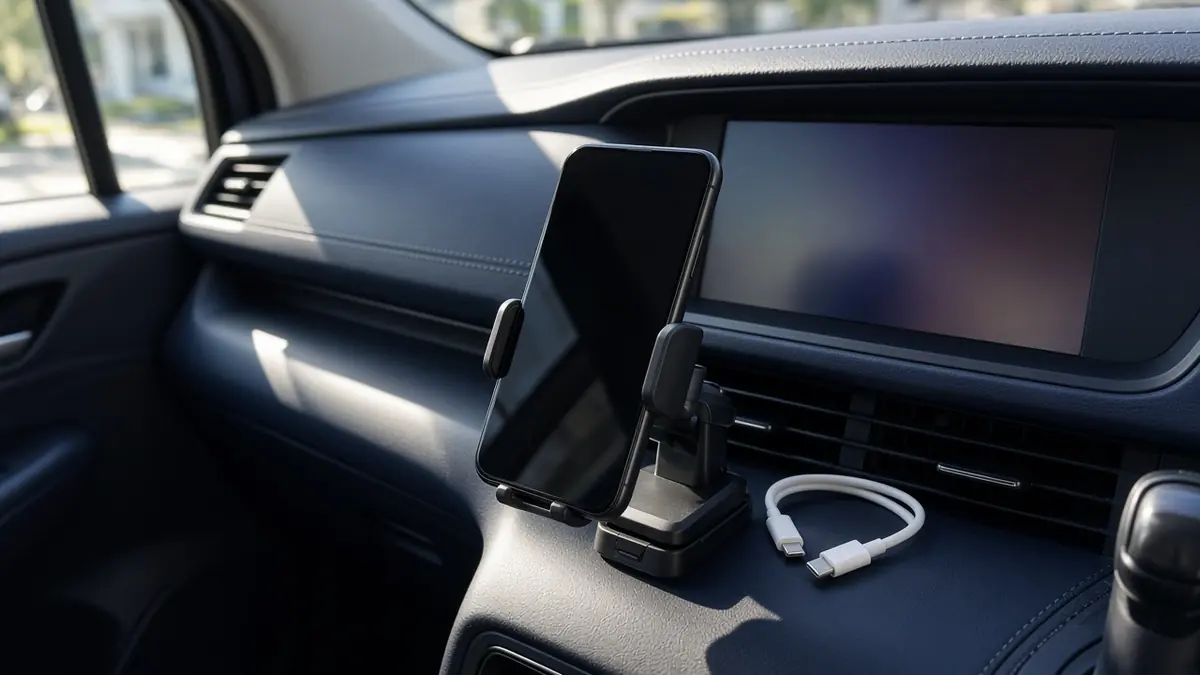
A parked-car still life of the first decision. It is not a temperature measurement or a test of a charger.
A phone that gets too hot can fail during navigation, slow its charging, or shut itself off. Disconnect power when a plugged-in Pixel is too hot, move the phone somewhere cooler, and leave it unused until it cools.
Stop the hot session first, then change one condition on a later drive. Wireless Android Auto and a wireless charger are different jobs. Write down sunlight, where the phone sits, whether its own screen is on, how it projects, and how it charges. Change only the charging method on the next wireless-projection drive, and leave sunlight, placement, and screen brightness as they were.
Fill the sheet while the car is parked. Do not handle the phone to run this check while you are driving.
This is a documentation check, using Google’s Pixel heat page as read on October 11, 2026. The drawings are schematics, not a road test. That page does not give a temperature limit or a battery-health percentage, so this guide does not invent either one. Menu names are Pixel’s. Another phone needs its maker’s current heat page.
Stop if the phone is already too hot
If the phone warns you, limits itself, or turns off, do not start a comparison on that drive. Google’s Pixel heat page says that when a Pixel is too hot you disconnect it from power if it is plugged in, move it to a cooler place, and do not use it until it has cooled down. If it turned off, let it cool, then restart it. If it keeps turning off, contact Pixel support.
On Pixel 6 and later, the same help page points to Settings, then Battery, then Battery diagnostics, then “Phone is very warm.” That screen is a status for that phone. It is not a degree reading you can copy onto another model.
A Pixel that senses it is too hot may reduce processor performance, reduce charging speed, turn the camera or flash off, limit mobile data or Wi-Fi, or enter low power mode. If the temperature keeps rising, the phone may warn you, enter low power mode, and turn off. Google describes that shutdown as a safety step for you and the phone. Leave the protection in place.
A wireless charger has no plug on the phone. Lifting the phone off the pad is the way to stop that charging session. The Pixel sentence we are using says “if it’s plugged in,” so the lift is the matching action for a pad, not a second sentence from that page. Then use the same cool-down: a cooler place, and no use until the phone has cooled.
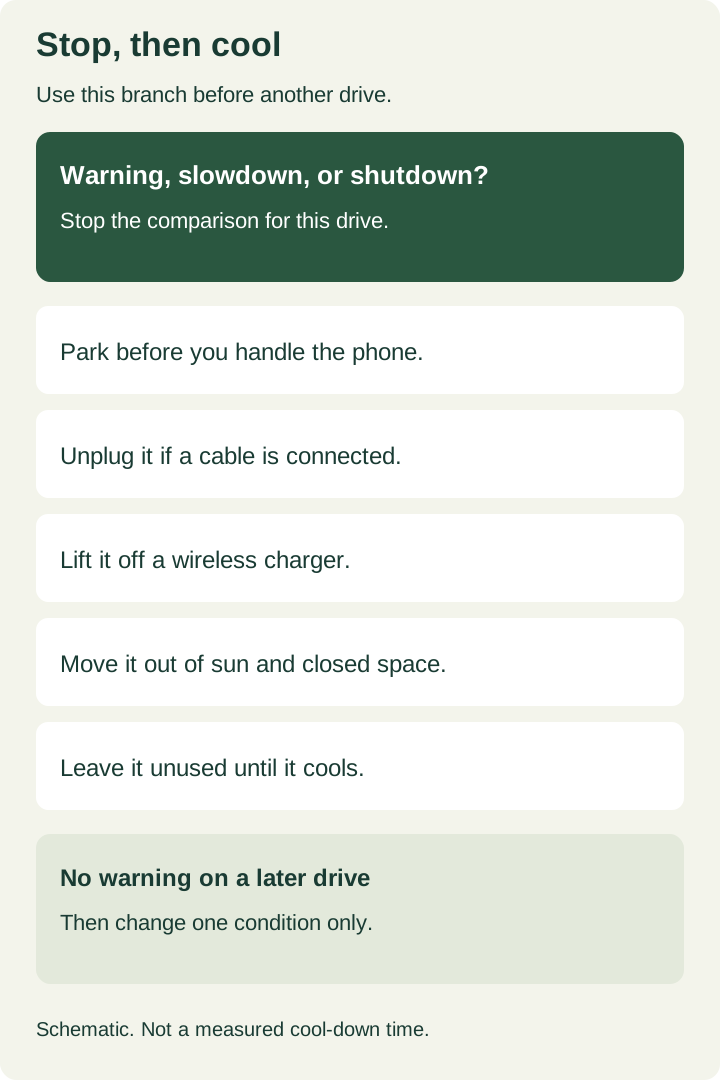
Figure 1. Stop-and-cool branch. The wait has no published number of minutes on the Pixel page we used.
Google also says to keep the phone out of direct sunlight and away from excessive heat, including inside a hot vehicle, and not to leave it in an enclosed or poorly ventilated place. A closed compartment is that kind of place. Moving the phone there, or aiming a vent at it, is not a measured fix, and this page does not claim that cabin air prevents a slowdown.
Write five conditions before you change anything
Copy this sheet into a note you keep. There is no form to send. One row is one drive. Leave a cell blank rather than guessing.
Scroll horizontally to see all columns.
| Field | What to write | Why it stays separate |
|---|---|---|
| Phone | Model, and Android Auto version if the car or phone shows it | Menus and warnings differ by model |
| Sunlight | Direct sun, shade, or night | Google names direct sun and a hot vehicle |
| Placement | Dash, vent, pocket, seat, or the holder you use | Moving the phone is its own change |
| Phone display | Bright, dimmed, or off | The car screen can stay on either way |
| Projection | Wired Android Auto, or wireless projection | This is not the charging line |
| Charging | None, a cable and which port, or a wireless charger | This is the wireless-charging line |
| What the phone did | Warm to the touch, a “very warm” status, a warning, slower charging, or shutdown | Use the phone’s message |
| Next change | One field only | Several edits on one drive cannot be read |
| Stop-and-cool | Yes or no | Yes ends the comparison for that drive |
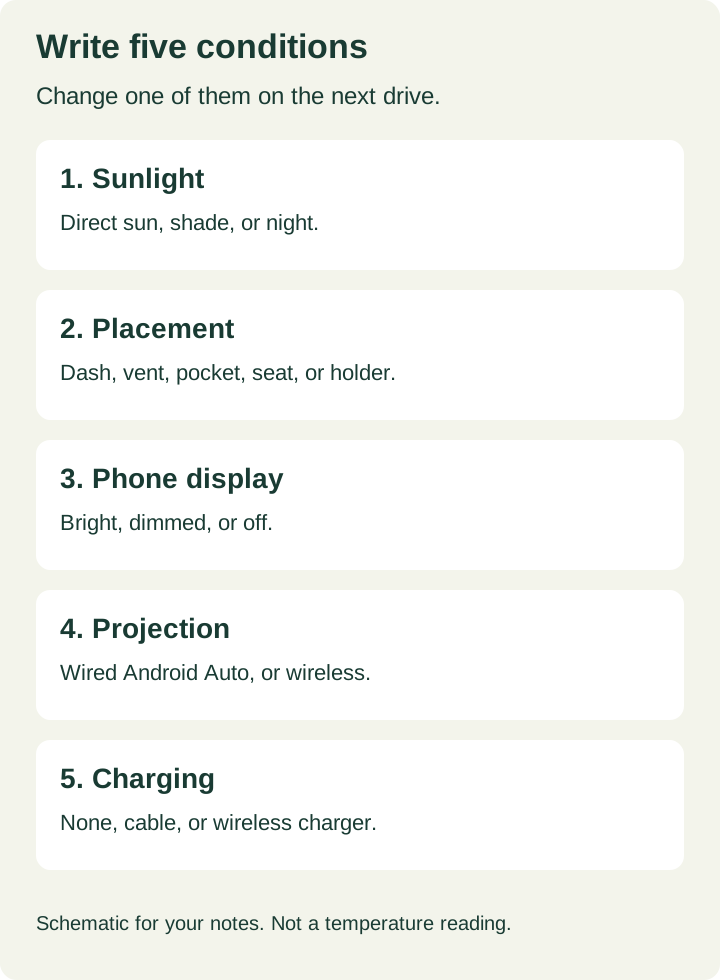
Figure 2. The five conditions. Projection and charging are different rows even when both are wireless.
Google lists extended navigation, and heavy use while charging, among the conditions that can make a Pixel hot. Playing media, a hotspot, and large downloads are on that list too. A warm phone during those jobs is not, by itself, a failed battery. The useful record is which of the five conditions was true when the phone warned you.
For screen brightness, the Pixel page says to open Settings, then Display & touch, then Brightness level. If you lower brightness, that is the one change for that drive. Do not also move the holder.
Google’s case line is to use a case made for that phone. Removing a case can be a later, single change. It is not a promised cool-down, and it should not ride along with a charger swap.
Keep wireless charging separate from wireless projection
A wired Android Auto cable usually does two jobs at once: it projects the car screen, and it supplies power. Write that baseline as “wired projection, charging through the projection cable.” You have not isolated charging on that drive. You have a reference for whether the phone already gets hot on wired Android Auto.
Wireless projection, whether the car provides it or a wireless adapter does, removes that projection cable. It does not tell you whether a pad is charging the phone. Put projection on one line and charging on another. Confirm that the car actually supports a wired session before you treat it as the baseline; the wired and wireless Android Auto comparison is the support check. Adapter setup stays in the wireless adapter guide.
Use three parked-and-then-driven rows, in this order, only after a drive that did not need the stop branch:
- Wired baseline, if the car has wired Android Auto. Keep sunlight, placement, and brightness as steady as the day allows. Do not add a second charger.
- Wireless projection, charging off. No pad and no extra cable. Hold placement and sunlight to the baseline as closely as you can.
- Wireless projection, wireless charger on. This is the only change from row 2.
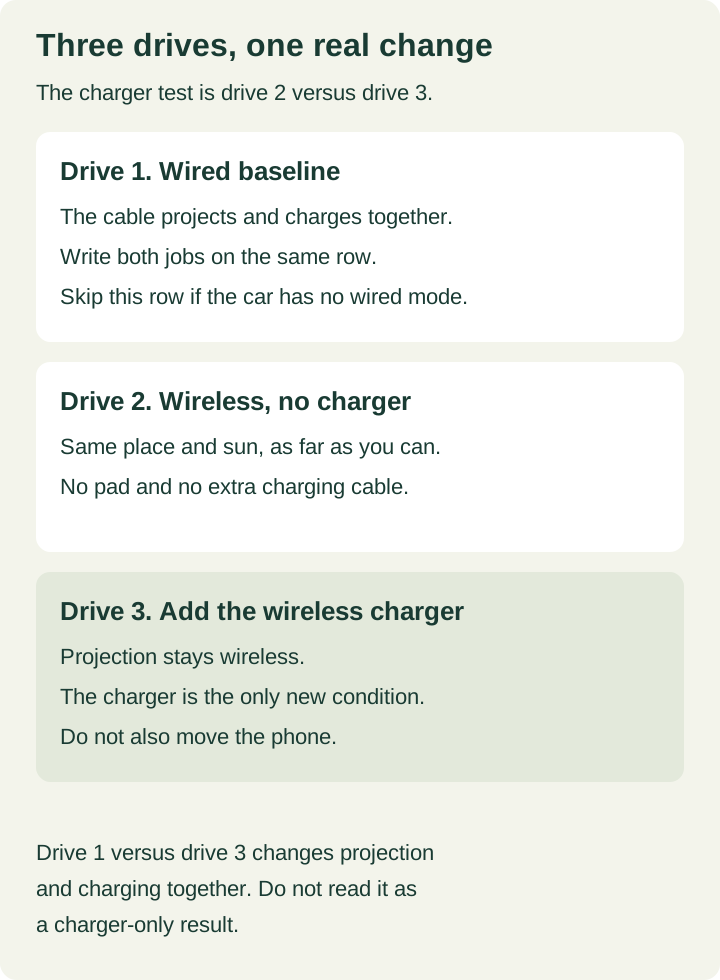
Figure 3. The charger comparison is drive 2 versus drive 3. Drive 1 is the wired reference, and it bundles projection with cable power.
If the car has no wired Android Auto, write “no wired baseline” and use rows 2 and 3 only. Row 2 versus row 3 is the wireless-charging question. Row 1 versus row 3 changes the projection method and the power source together, so it cannot answer that question by itself.
Takeaway: the wireless charger is implicated only when wireless projection stayed the same and the charger was the sole change.
A February 2024 autoevolution report described Android Auto 11.1 and 11.2 showing a head-unit warning, including a prompt to remove the phone from a wireless charger, while the phone itself did not show the same alert and did not feel hot to that reporter. Google had not commented in that article. Treat it as a version-specific report, not a reason to ignore a warning and not a cooling method. If the phone itself warns, limits itself, or turns off, use the stop branch. If only the car screen warns, write both messages and the Android Auto version, and still end charging for that drive.
Forum posts often fold wireless projection and wireless charging into one complaint. A Nothing Phone (2) thread starts from wireless charging plus navigation, then describes heat on a later trip with little wireless charging. Those reports were not run as a one-change comparison. They are a reason to keep the two lines separate, not a fix to copy.
What a single change cannot prove
A clip-on or magnetic cooler is outside this check. Adding one would be another variable, and this page does not rate cooling hardware.
Google’s general tip to prefer Wi-Fi over mobile data is a heat suggestion for ordinary use. Do not turn Wi-Fi off during wireless projection to chase that tip. If the phone later limits Wi-Fi on its own, write down whether the car screen dropped. Pixel lists that limit; this page does not count how often it happens.
If the symptom is slow charging after the phone has cooled, use the slow-charging check order. Pixel says a hot phone may reduce charging speed. That is a different decision from choosing a higher-power car charger. Wattage and pass-through adapters are not part of this sheet.
These notes sit with the other Android accessory guides.
When this does not apply
Skip the Pixel menu path on a phone that is not a Pixel. Use that maker’s current heat instructions for a warning or a shutdown. You can still keep the five-line sheet.
Skip drive 1 when the car has no wired Android Auto. Say so on the sheet.
Stop the whole comparison if the phone keeps turning off after it has cooled. For a Pixel, Google says to contact Pixel support. Do not keep reconnecting it to see if the warning disappears.
Method and sources
The stop-and-cool steps, the Pixel 6 diagnostic path, the brightness path, and the list of heat conditions come from Google’s Pixel help page, Help keep your Pixel phone from feeling too warm or hot, read October 11, 2026. The February 2024 warning report is Bogdan Popa’s autoevolution article, Android Auto warning of overheating phones for no reason. Community threads were used only to see that projection and charging get mixed together. They are not treated as verified repairs.
No temperature threshold, battery-health percentage, cooler test, or promise that the phone will avoid limits is included, because those claims are not in the sources above. Copy the sheet into your own notes.
Updated October 12, 2026.
Related articles
How can I customize Android Auto's split screen mode?
Record which Android Auto layout controls your phone, car, and adapter expose. DPI scaling here means the documented AAWireless TWO.
Read article
Wireless Android Auto: 2.4 vs 5 GHz and Wi-Fi Channels
Understand the 5 GHz requirement, compare supported channels 36 and 149, and check US DFS and regional limits before changing a wireless car link.
Read article
Update Head Unit Firmware for Android Auto
Identify the right receiver update, prepare its USB files, check MCU package limits, and verify the version before retesting Android Auto.
Read article