
What Is a GaN Charger and Does It Work With Android?
GaN is the semiconductor in the adapter. PPS is a USB PD 3.0 feature. A 60 W or 240 W mark on a USB-C cable is a cable logo, not the charger rating.
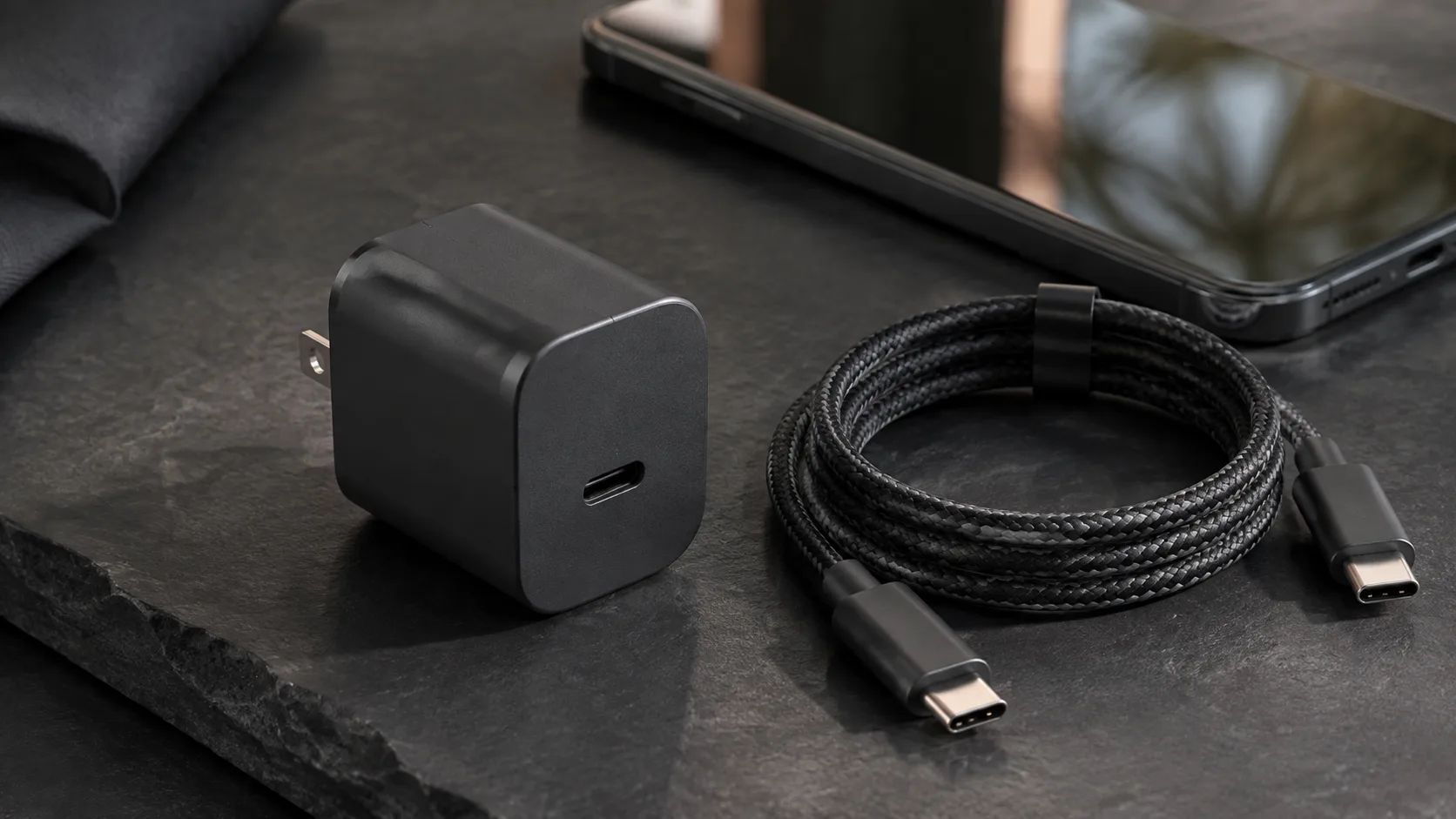
Example of a compact USB-C wall charger and a USB-C to USB-C cable. The photo does not show a PPS range, a cable power logo, or a measured charge.
Mistaking a GaN badge, a PPS line, or a 60 W cable logo for the same number costs you the charge you expected and can waste a brick you already own. A GaN charger charges an Android phone when the adapter’s published USB Power Delivery modes include the mode that phone uses, and the cable’s power logo covers that contract. The sections below keep the semiconductor, the PD 3.0 feature, and the cable logo apart, then run the watt arithmetic on numbers USB-IF, Google, and Samsung have published.
A GaN charger can charge an Android phone when the phone’s documented mode is on the adapter’s published output list and the cable logo can carry the contract. Gallium nitride is the semiconductor in the adapter. PPS is the Programmable Power Supply feature of USB Power Delivery 3.0. A 60 W or 240 W mark on a USB-C to USB-C cable is that cable’s power logo. On the Pixel won’t-charge page, fetched 18 October 2026, Google names a Google 30 W USB-C adapter or another PPS adapter rated for 30 W or more, or a USB PD adapter rated for 15 W or more. Speeds vary by Pixel phone. Those lines do not ask for a GaN badge. The Android charging section holds the wattage, cable, and laptop-adapter checks.
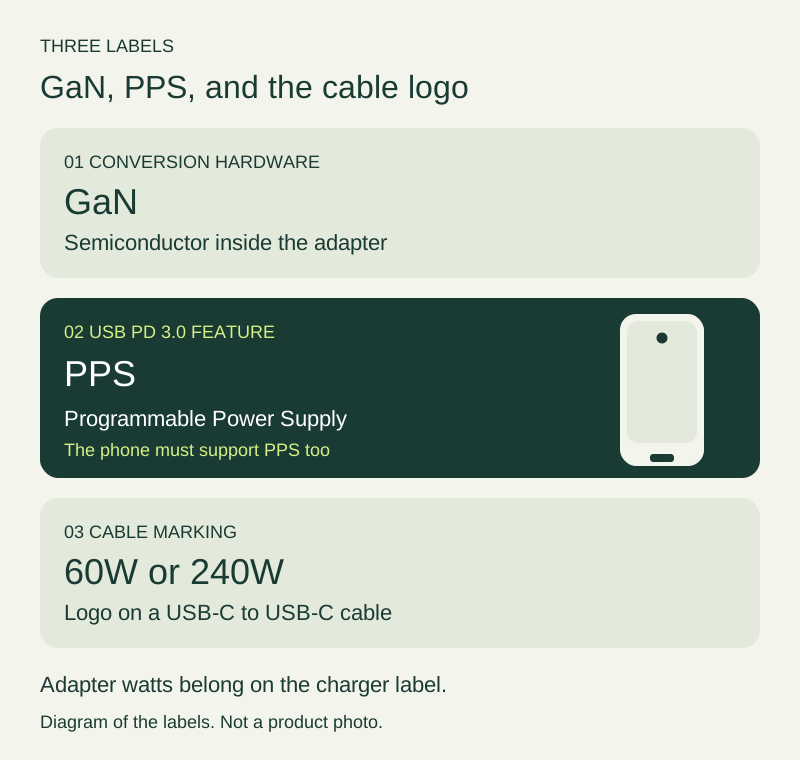
Figure 1. GaN, PPS, and the cable logo name three different objects. The handset is a generic Android outline: one centered punch-hole and one centered USB-C on a blank bottom edge.
What GaN changes inside the adapter
Gallium nitride is the transistor material in the conversion stage. Texas Instruments’ GaN technology page, fetched 18 October 2026, calls GaN a wide band-gap semiconductor that enables faster switching, higher efficiency, and greater power density than traditional silicon, which can allow smaller and lighter designs. TI also states that its own GaN devices run at frequencies above 500 kHz, with up to 60% smaller magnetics. That 60% figure is TI’s claim about magnetics in its devices. It is not a measurement of the retail brick in the photo above.
Infineon’s GaN charger explanation, fetched the same day, says a GaN charger uses gallium nitride transistors instead of silicon MOSFETs to convert wall AC into DC for the battery. Infineon states that silicon power MOSFETs are generally bound to switching speeds under 100 kHz, while GaN devices switch in the hundreds of kilohertz or into the megahertz range. The same page gives a power-density comparison from 3 to 5 W/in³ for silicon-MOSFET chargers to 9 to 18+ W/in³ with GaN, and it says the finished size depends on the specific design. Infineon also says the power split across ports depends on the manufacturer and the ports involved. Record the dimensions and the simultaneous-port line from the adapter you are holding. Do not copy a semiconductor vendor’s typical range onto that box.
PPS is a USB PD 3.0 feature
USB-IF’s page USB-IF Introduces Fast Charging to Expand its Certified USB Charger Initiative, fetched 18 October 2026, states that Certified USB Fast Chargers support the Programmable Power Supply (PPS) feature of the USB Power Delivery 3.0 specification. The same page says new USB hosts, devices, and chargers that support PPS are required for users to take full advantage of the feature, and that those fast chargers stay backward compatible with USB Type-C and USB Power Delivery devices.
USB4 is a different specification. USB-IF’s USB4 page, fetched 18 October 2026, describes a data architecture with two-lane operation on existing USB Type-C cables and up to 80 Gbps on 80 Gbps certified cables. A PPS line on a charger sheet is the PD 3.0 power feature. It is not a USB4 data rate, and it is not a cable.
The USB PD and PPS terminology guide goes further into how those names show up on Android charger sheets. Use it when a listing prints both “PD” and “PPS” and you need to keep the rows straight.
USB PD Revision 3.1, announced by the USB Promoter Group on 26 May 2021, is a later power update. The announcement PDF says the revision enables up to 240 W over USB Type-C. Before that update, USB PD was limited to 100 W via 20 V on USB Type-C cables rated at 5 A. The PDF adds fixed voltages of 28 V (above 100 W), 36 V (above 140 W), and 48 V (above 180 W), plus an adjustable voltage mode from 15 V up to 28 V, 36 V, or 48 V at 100 mV resolution. That PDF calls the new mode an adjustable voltage mode. It does not use the name PPS. Keep the 2021 adjustable mode and the PD 3.0 PPS feature as two entries when you read a sheet.
USB-IF’s charger page, fetched 18 October 2026, repeats the 240 W ceiling, the earlier 100 W / 20 V / 5 A limit, and the 28 V, 36 V, and 48 V fixed voltages that enable up to 140 W, 180 W, and 240 W. Those watt figures are specification ceilings for USB PD power. They are not the rating printed on one retail GaN brick.
A 60 W or 240 W mark is a cable logo
USB-IF’s Cables and Connectors page, fetched 18 October 2026, says that to pass the USB-IF compliance program, USB-C to USB-C cable categories must be labeled with a power capability of 60 W or 240 W, using the power icon or logo. The page’s example: a USB 20 Gbps USB-C to USB-C cable that supports 20 V at 3 A must be marked with the combined 20 Gbps/60 W logo. The same page says a certified cable does not augment the capabilities of the products you attach.
That 60 W or 240 W mark is the cable logo. The charger rating is the output list on the adapter. A power-bank rating is the stored-energy figure on a battery pack. Write them in three columns. The USB-C cable guide is the next page when the cable also has to carry display or data, because those jobs are separate from the power logo.
Rule of thumb. If the requested contract exceeds 60 W, a USB-C to USB-C cable in the 20 V at 3 A class is the wrong cable. USB-IF assigns that class the 60 W logo. The other power logo in the same compliance rule is 240 W.
One Android sheet, read row by row
Samsung’s Business UK listing for the 45 W EU travel adapter EP-TA845XWEGWW, fetched 18 October 2026, is a phone-maker output table. The page does not call the adapter a GaN design, so this section uses it only as a published PDO and PPS list.
Scroll horizontally to see all columns.
| Item on the EP-TA845 sheet | Value fetched 18 October 2026 | Why it matters | Dominant failure mode and prevention |
|---|---|---|---|
| Features | Super Fast Charging 2.0 max. 45 W, PD 3.0 PPS max. 45 W | The 45 W headline is tied to named charging modes | Treating 45 W as every phone’s intake. Prevention: match the phone to the compatible-models line |
| Compatible models | Super Fast Charging 2.0 max. 45 W for Galaxy Note 10+, Note 10+ 5G, A91, and future compatible devices. Super Fast Charging max. 25 W for a separate list that includes Galaxy Note 10, S10 5G, A90 5G, A80, A70, and Book S | The same brick publishes two phone classes | Assuming every Galaxy is on the 45 W line. Prevention: find the exact model on the line you need |
| Fast-charge voltage | PDO: 9 V, 15 V, 20 V. PPS: 3.3–11.0 V, or 3.3–16.0 V, or 3.3–21.0 V | PPS is a voltage range, beside the fixed PDOs | Reading only the fixed voltages and missing the PPS ranges |
| Fast-charge current | PDO: 3 A at 9 V and 15 V, 2.25 A at 20 V. PPS: 4.05 A on 3.3–11.0 V, or 2.8 A on 3.3–16.0 V, or 2.1 A on 3.3–21.0 V | Current is paired with a voltage range | Pairing the highest current with the highest voltage |
| Normal-charge maxima | 5 V and 3 A, on two separate rows | Their product is 15 W | Staying on the normal-charge rows while expecting 45 W |
| In the box | Wall charger, USB Type-C to USB Type-C 5 A cable, user manual. Cable length 1 m | The listing specifies a 5 A cable with this adapter | Substituting a cable whose logo is only the 60 W / 20 V at 3 A class |
| Input and body | 100–240 V. 53.1 × 30.1 × 89.3 mm. 112.6 g. The product title says EU travel adapter | Input range and plug form are different facts | Treating 100–240 V as proof the EU plug fits a US socket |
Google’s Fix a Pixel phone that won’t charge or turn on, fetched 18 October 2026, gives a different Android target. For the best battery experience and charging speeds, use a Google 30 W USB-C power adapter or another PPS power adapter rated for 30 W or more. Other USB PD adapters should be rated for 15 W or more. Google says actual charging speeds may vary by Pixel phone. That page does not mention GaN. A GaN badge does not satisfy the PPS line, and a Samsung Galaxy model list does not satisfy a Pixel instruction.
Rule of thumb. If the PPS rating sits under 30 W, the adapter misses the “30 W or more” PPS line on that Pixel page. Google’s other named class is a USB PD adapter rated for 15 W or more, with speeds that vary by Pixel model.
The wattage guide separates an adapter’s capacity from the power a specific phone is documented to take. Use it when two boxes both print a large watt number and you need the phone’s own figure.
Worked example
Power at a published voltage and current pair is:
P = V × I
USB-IF’s cable example supports 20 V at 3 A and must carry the 60 W logo:
20 V × 3 A = 60 W
That 60 W is the cable logo for that example. It is not the charger’s output and it is not a power bank’s stored watt-hours.
Samsung’s fast-charge PDO pairs 20 V with 2.25 A:
20 V × 2.25 A = 45 W
That 45 W is the adapter’s published PDO power at that pair. It matches the 45 W feature line on EP-TA845. The PPS row at the top of 3.3–21.0 V is 2.1 A:
21.0 V × 2.1 A = 44.1 W
That product stays under the 45 W feature line. It is still an adapter PPS contract, not the cable logo.
The normal-charge rows list 5 V and 3 A separately. The product of those two maxima is:
5 V × 3 A = 15 W
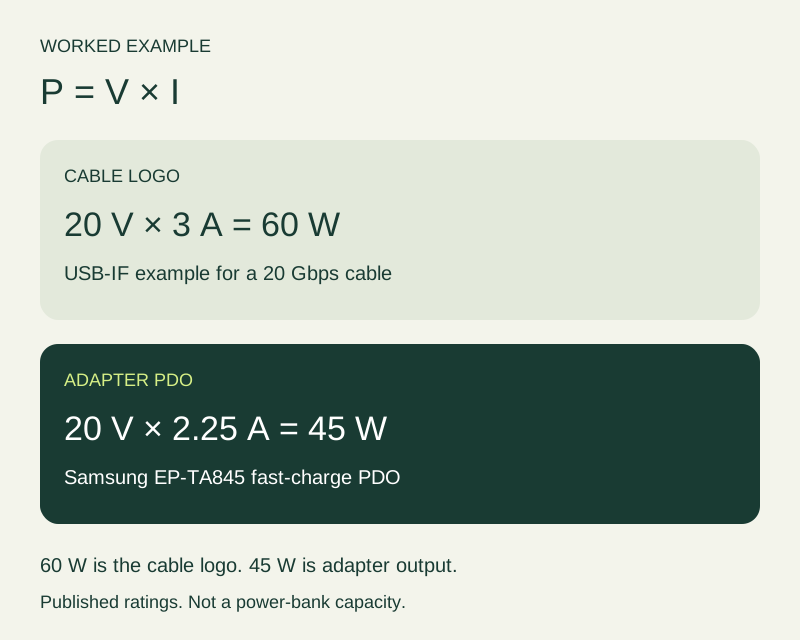
Figure 2. The 60 W product is USB-IF’s cable-logo example. The 45 W product is Samsung’s published fast-charge PDO for EP-TA845. Fetched 18 October 2026.
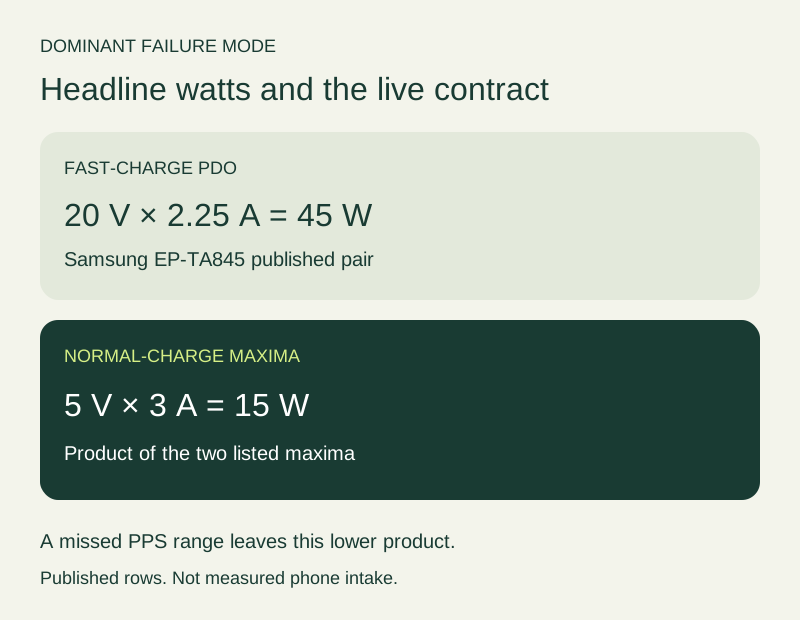
Figure 3. If the session stays on the normal-charge rows, the product of those listed maxima is 15 W. That is not measured phone intake.
A second line of arithmetic shows why the contract, not the badge, sets the clock. Let E be energy added and t be time:
t = E / P
Take an assumed 15 Wh to add. The 15 Wh is an assumption for this arithmetic, not a cell capacity from a phone. At a 30 W contract, the floor of Google’s PPS line:
t = 15 Wh / 30 W = 0.5 h
At the 15 W product of Samsung’s normal-charge maxima:
t = 15 Wh / 15 W = 1.0 h
Halving the contract doubles the time for the same assumed energy. A GaN label does not appear in either line.
When two devices share one brick
Infineon says the split between ports depends on the manufacturer and the specific ports. The single-port maximum is the wrong number once a second device is attached, unless the sheet prints a simultaneous line that still covers the phone.
Apple’s support page How to use the 35W Dual USB-C Port Power Adapter, fetched 18 October 2026, is a published dual-port case, not an Android charger and not a GaN specification. It says the adapter can charge two devices at the same time, that either USB-C port can charge a single device, that a single device gets the most power, that you should unplug a cable you are not using, and that the devices should not need more than 35 W, which is the maximum that adapter can deliver. Read an Android multi-port brick the same way: the printed maximum is the ceiling for that model, and one phone gets the most power when it is the only device connected.
The hidden cost of retiring a working phone adapter is that second outlet and that second cable you no longer carry, set against the power the phone actually gets while a laptop holds the other port. If the shared port cannot offer the PPS range the phone uses, the session runs at the lower contract for as long as both devices stay plugged in. The time ratio is the t = E / P line above. The laptop USB-C charger guide is the check for a laptop adapter you already own, before a new multi-port brick.
What to record before a trip
Write one sentence for the job: “Charge this phone from one outlet” or “Charge this phone and this laptop together.” Then copy four fields from the documents, not from the badge.
- Phone model, and the charging mode its maker names. For a Pixel speed path, that is Google’s PPS adapter at 30 W or more, or a PD adapter at 15 W or more.
- Adapter model and region. For EP-TA845XWEGWW, copy the PPS ranges and the compatible-models line, and note that the title says EU travel adapter even though the input is 100–240 V.
- Cable. Copy the 5 A requirement from the Samsung box, or the 60 W versus 240 W logo from the cable itself. A 60 W logo answers the 20 V at 3 A case. It does not answer the adapter’s watt headline.
- The arrangement you will actually use. One device, or two. If the sheet has no simultaneous line, you do not yet have the phone’s share.
The accessory compatibility checklist is the place to keep those four fields together. If the phone stays slow after the PPS range and the cable logo both match, move to the slow-charging check order and change one part at a time.
This replacement is the wrong job when the phone’s maker already documents the adapter you own, the PPS or PD line matches, and the only complaint is bulk you can live with. A new GaN brick still has to win on the port list, the cable logo, and the plug, not on the semiconductor name.
Sources and verification
- Texas Instruments, Gallium nitride (GaN), fetched 18 October 2026. Wide band-gap semiconductor, faster switching, higher efficiency, greater power density, and TI’s own claim of frequencies above 500 kHz with up to 60% smaller magnetics.
- Infineon, What is a GaN charger and how does it work?, fetched 18 October 2026. GaN transistors convert AC to DC; silicon MOSFETs generally under 100 kHz; power-density comparison from 3 to 5 W/in³ to 9 to 18+ W/in³; finished size and port split depend on the design and the manufacturer.
- USB-IF, Certified USB Fast Charger initiative, fetched 18 October 2026. PPS is the Programmable Power Supply feature of USB Power Delivery 3.0. Hosts, devices, and chargers that support PPS are required to take full advantage of it.
- USB-IF, USB4, fetched 18 October 2026. Data architecture, up to 80 Gbps on 80 Gbps certified cables.
- USB Promoter Group, USB PD Revision 3.1 announcement, 26 May 2021. Up to 240 W; earlier limit 100 W at 20 V on 5 A cables; 28 V, 36 V, and 48 V fixed voltages; adjustable voltage mode at 100 mV. The PDF does not use the name PPS.
- USB-IF, USB Charger (USB Power Delivery), fetched 18 October 2026. Same 240 W ceiling and the 140 W, 180 W, and 240 W fixed-voltage levels.
- USB-IF, Cables and Connectors, fetched 18 October 2026. USB-C to USB-C cables labeled 60 W or 240 W. Example: 20 V at 3 A marked 20 Gbps/60 W.
- Google, Fix a Pixel phone that won’t charge or turn on, fetched 18 October 2026. Google 30 W USB-C adapter or other PPS adapter rated 30 W or more; other USB PD adapters rated 15 W or more; speeds vary by Pixel phone.
- Samsung Business UK, 45 W EU travel adapter EP-TA845XWEGWW, fetched 18 October 2026. Features, compatible models, PDO and PPS voltage and current rows, 5 A cable, 100–240 V input, and body size.
- Apple, How to use the 35W Dual USB-C Port Power Adapter, fetched 18 October 2026. Two devices at once, most power to a single device, unplug an unused cable, 35 W maximum for that adapter.
Checked 18 October 2026 against those saved pages. Figures are the ones those pages print, scoped to the models and cable classes they name. The 15 Wh time line is an assumption for the arithmetic.
Related articles
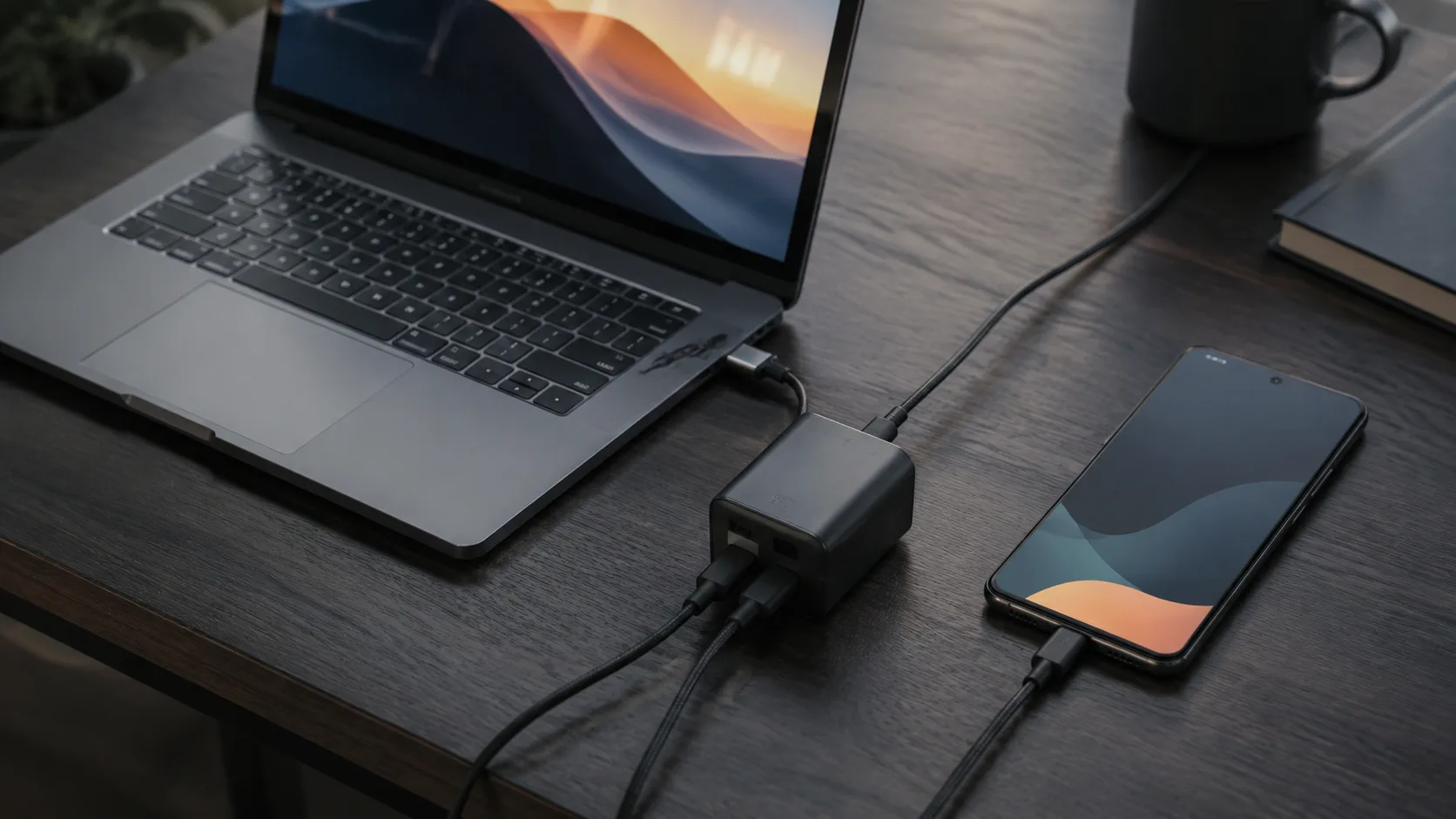
Can You Use a Laptop USB-C Charger With an Android Phone?
A laptop USB-C wall charger and the laptop USB-C port are different supplies. Compare Dell's 15 W port ceiling, Lenovo 20 V input, PPS, and the 60 W cable logo.
Read article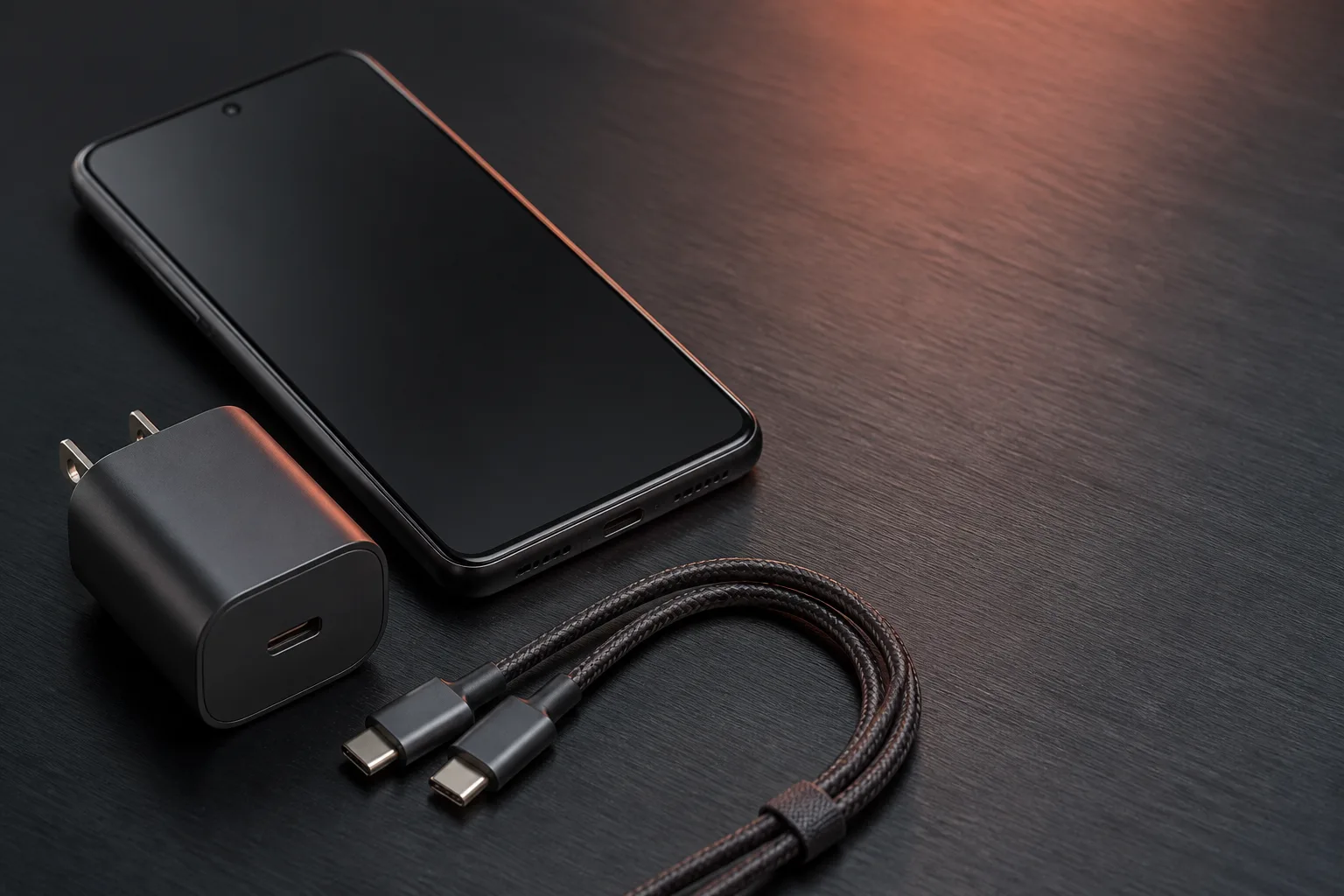
USB PD vs. PPS: The Android Charging Difference That Matters
PPS is optional inside USB PD 3.0. The phone requests a voltage in 20 mV steps. A 60W or 240W mark is a cable logo.
Read article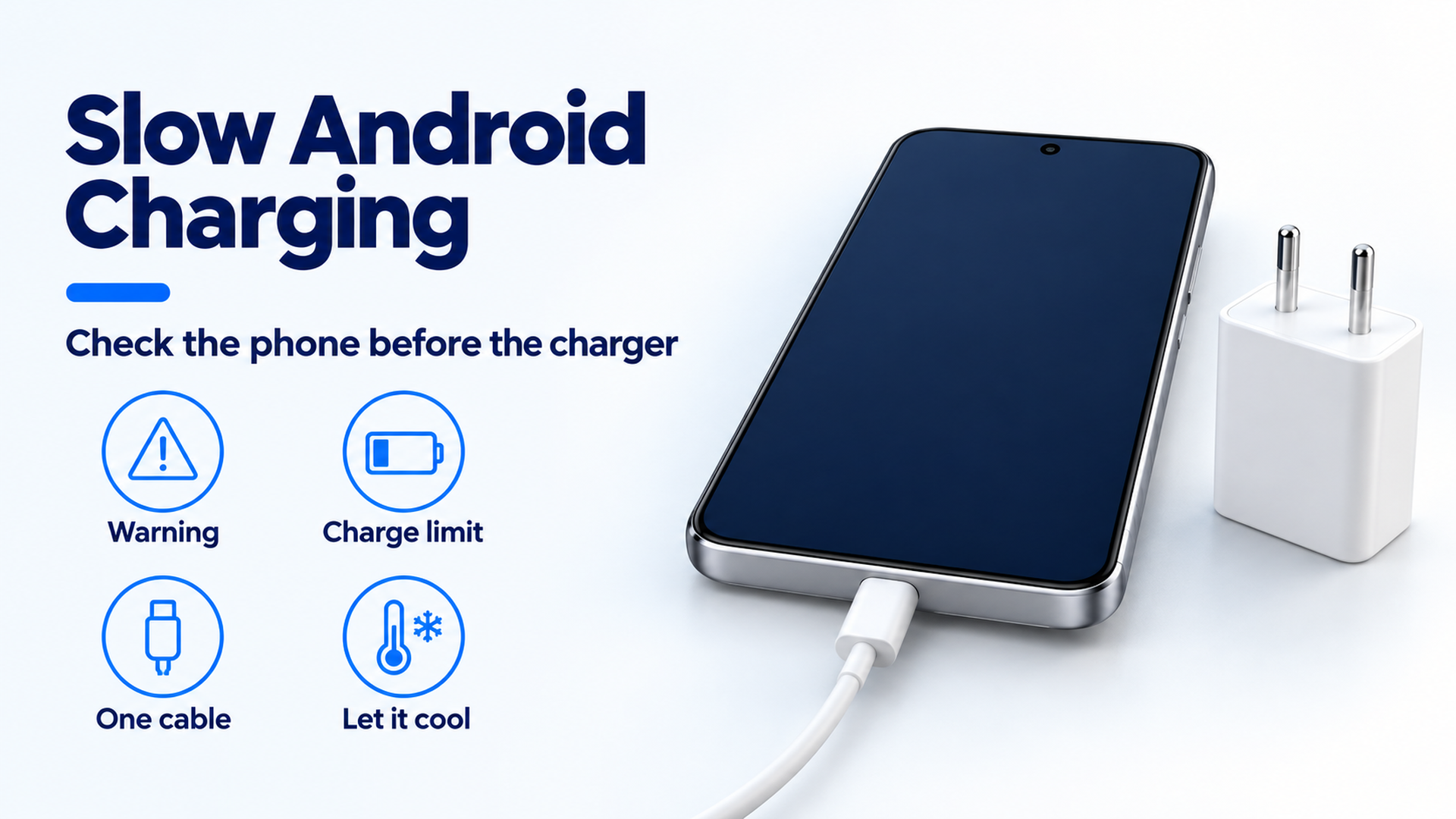
Why Is My Android Phone Charging Slowly? A Practical Check Order
Separate a charge limit, heat protection, a bad cable seat, and a wireless alignment problem before you replace the adapter.
Read article