
Can You Use a Laptop USB-C Charger With an Android Phone?
A laptop USB-C wall charger and the laptop USB-C port are different supplies. Compare Dell's 15 W port ceiling, Lenovo 20 V input, PPS, and the 60 W cable logo.
Example of a laptop and a phone beside a USB-C wall adapter. The photograph does not show a port voltage, a PPS range, or a cable power logo.
Plugging the phone into the laptop’s USB-C port, when the wall brick was the supply you meant, wastes the top-up you needed before you leave. A laptop USB-C wall charger can charge an Android phone when that charger’s published output list includes the mode the phone maker names, and the cable’s power logo can carry the contract. The port on the laptop is a second supply, with its own published ceiling.
Yes. A laptop USB-C wall charger can charge an Android phone when the brick’s published outputs include the phone maker’s mode and the cable logo covers that contract. The laptop USB-C port is a different supply. Dell article 000493572, last modified 31 July 2026, states a maximum of 5 V at 3 A through Dell laptop USB-C ports, up to 15 W, and says charging a phone from the laptop charges slowly or may not charge. Google’s Pixel page, fetched 18 October 2026, names a PPS adapter rated 30 W or more, or a USB PD adapter rated 15 W or more, with speeds that vary by Pixel phone. PPS is the Programmable Power Supply feature of USB Power Delivery 3.0. A 60 W or 240 W mark on a USB-C cable is that cable’s power logo. The Android charging section holds the wattage, cable, and slow-charge checks.
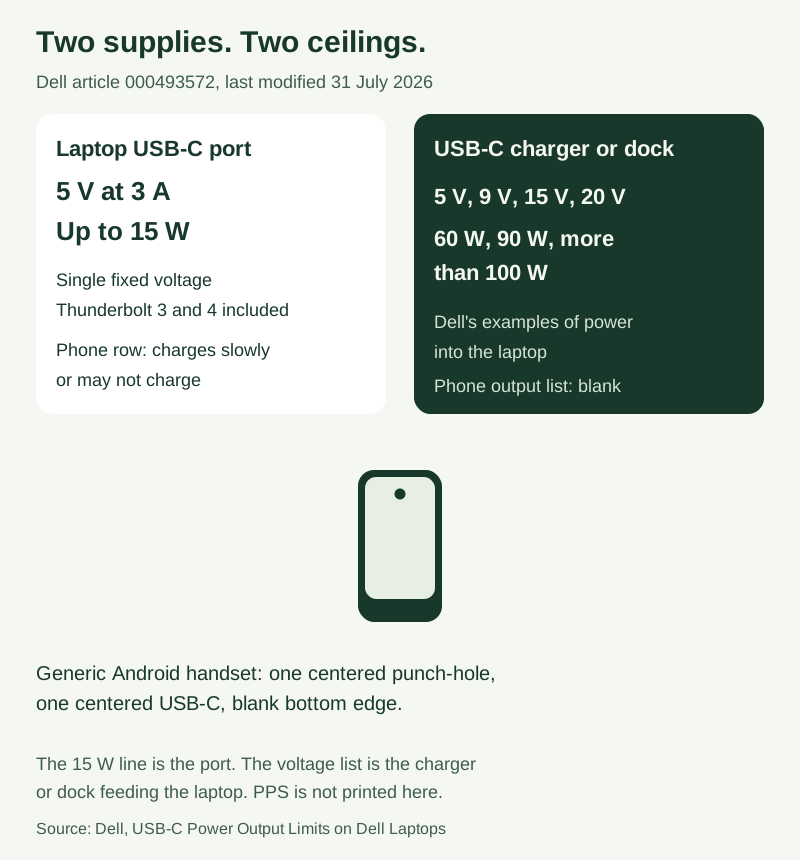
Figure 1. The 15 W line is Dell’s laptop-port ceiling. The voltage list is Dell’s description of a charger or dock feeding the laptop. PPS is not printed on that article.
Which connector is actually the supply?
Name the connector before you read a watt headline. Three arrangements sit on the same desk and answer three different questions.
Scroll horizontally to see all columns.
| Item | Printed value or source | Why it matters | Dominant failure mode and prevention |
|---|---|---|---|
| Dell laptop USB-C port, power going out | 5 V at 3 A, up to 15 W. All USB-C ports, including Thunderbolt 3 and Thunderbolt 4. Article 000493572, last modified 31 July 2026 | This is the port on the computer, not the brick | Treating the brick’s headline as the port. Prevention: read the port row before you judge the phone |
| Dell BIOS USB-C Power, where the option exists | Default 15 W at 5 V and 3.0 A. Power saving 7.5 W at 5 V and 1.5 A. Not on every model | A saved setting cuts the port current in half | Leaving power saving on and blaming the cable. Prevention: check the BIOS option if the model has it |
| Dell, charger or dock feeding the laptop | Voltages 5 V, 9 V, 15 V, and 20 V. Examples 60 W, 90 W, or more than 100 W | Shows what Dell says a charger can offer the laptop | Copying those examples onto the phone as a measured intake |
| Phone output list on that Dell article | The article does not print a phone PDO or a PPS range | Filling the blank from the 15 W port line | |
| Dell phone-or-tablet row | Typical need 10 W to 30 W. Result: charges slowly or may not charge | Dell’s own label for charging a phone from the laptop | Staying on the port when the phone’s sheet asks for more than 15 W |
| Lenovo USB-C power input, ThinkBook 16p G4 manual path | Up to 20 V and 7 A into the computer. A charger should be at least 20 V and 2.25 A. Copyright 2023. The saved page body says “your computer” | This is what the laptop asks to receive | Using the phone’s 15 W port ceiling as the laptop’s input |
| Lenovo awake rows | 20 V at 4.75 A, 5 A, 6.5 A, or 7 A. Capable of charging the computer | Higher pairs are for running the computer | Pairing 7 A with a 3 A cable class |
| Lenovo sleep, hibernation, or off rows | 20 V at 2.25 A or 3.25 A | Lower pairs still have to be 20 V | Assuming 5 V from the Dell port row can run this computer |
| Lenovo, below the floor | Less than 20 V and 2.25 A cannot power the computer or charge its battery | A hard floor on that page | Expecting the phone port’s 5 V output to feed the laptop |
| PPS on the Dell and Lenovo pages | Neither page prints a PPS voltage or current | Writing a PPS range because the brick is large | |
| Pixel speed path | Google 30 W USB-C adapter, or another PPS adapter rated 30 W or more. Other USB PD adapters rated 15 W or more. Speeds vary by Pixel phone. Fetched 18 October 2026 | A phone-maker line, scoped to Pixel | Treating 15 W on the Dell port as the Pixel PPS line |
| Cable power logo | 60 W or 240 W on USB-C to USB-C cables. Example: 20 V at 3 A marked 20 Gbps/60 W. USB-IF, fetched 18 October 2026 | The logo is the cable | Reading 60 W or 240 W as the charger rating or a power-bank rating |
| USB PD ceiling on the USB-IF charger page | Up to 240 W. Earlier limit 100 W at 20 V on cables rated 5 A. Fixed 28 V, 36 V, and 48 V enable up to 140 W, 180 W, and 240 W | Specification ceilings | Pasting 240 W onto one brick or onto the cable logo |
Dell also says power output can vary by laptop model and tells you to check that model’s manual. The 5 V at 3 A maximum and the model-to-model note are both on the same article. Keep both.
What a Dell laptop port will offer the phone
Dell’s article is about power leaving the laptop. The opening statement is a maximum of 5 V at 3 A through the USB-C ports, which Dell calls up to 15 W. The same sentence covers Thunderbolt 3 and Thunderbolt 4 ports. Later, Dell repeats that the port supplies a single fixed voltage of 5 V at a maximum of 3 A, and that this is 15 W.
Dell describes USB Power Delivery as the negotiation that lets the device and the port agree on a voltage and a current. On this article, the laptop can take part in that negotiation and can offer only up to 5 V at 3 A. If the device asks for more, Dell says the laptop cannot provide it. Dell also says USB PD works in both directions: the laptop can receive higher-wattage power through USB-C, and it can send lower-wattage power out to accessories. This page’s subject is the power going out.
The phone row in Dell’s generic table is the practical consequence. Charging a phone or tablet from the laptop is listed at a typical need of 10 W to 30 W, with the result “charges slowly or may not charge.” The note under that table says to check the device’s documentation, and that a requirement higher than 15 W, or higher than 5 V at 3 A, needs an external power source.
Two conditions on the same page change the current that actually leaves the port. Where the BIOS option exists, USB-C Power has a 15 W default at 5 V and 3.0 A, and a 7.5 W power-saving choice at 5 V and 1.5 A. Dell says the power-saving choice delivers half the maximum current, and that not every Dell laptop has the option. When several USB-C devices are attached, the first device gets the most power, up to 5 V at 3 A, and Dell says further devices share the available power so a later device may receive less current. On battery, Dell says the laptop may reduce power to the USB-C ports to preserve battery life. Dell says a device that works while the laptop is plugged into its charger might not work once you unplug it.
Rule of thumb. If the port ceiling stays below 30 W, it misses the PPS adapter line Google rates at 30 W or more on the Pixel page. Dell’s printed port ceiling is 15 W, or 7.5 W when that BIOS option is set to power saving. Move the phone to the wall charger and read that charger’s own output list.
The wattage guide separates an adapter’s capacity from the power a specific phone is documented to take. Use it when the brick’s headline and the phone’s sheet use different numbers.
What the laptop asks from a USB-C charger
The wall brick’s job, on a laptop manual, is the power going into the computer. Lenovo’s page “Power input through a USB Type-C connector,” in the ThinkBook 16p G4 HTML manual, fetched 18 October 2026, says the USB Type-C connector supports power input up to 20 V and 7 A. The saved page body addresses “your computer” and does not repeat the model name. The manual path is the model identifier.
The same page says a dock or display can present a USB Type-C connector with power output greater than 20 V and 2.25 A, and that such a connector can power the computer. If you travel without the included AC adapter, Lenovo says you can use a capable USB Type-C charger through that connector. In both cases the output should be at least 20 V and 2.25 A to provide power to the computer.
Lenovo’s table is headed as the maximum output of a USB Type-C connector and its capability of charging the computer. The cells are voltage and current pairs. The page does not print a watt column, so the watt cells stay blank here.
Scroll horizontally to see all columns.
| Printed pair on the Lenovo page | What the page says the computer can do | Watt cell |
|---|---|---|
| 20 V at 4.75 A; 20 V at 5 A; 20 V at 6.5 A; 20 V at 7 A | Capable of charging the computer | |
| 20 V at 2.25 A; 20 V at 3.25 A | Capable of charging the computer in sleep, hibernation, or powered-off state | |
| Less than 20 V and 2.25 A | Cannot provide power to the computer or charge the battery |
Lenovo says the USB Type-C connector is not designed as the primary power input. Used as the only external source, the computer may not operate at full capacity and battery charging may take longer than expected. Whenever possible, use the included AC adapter. If that adapter is already plugged into the wall, the computer will not also take power through the USB Type-C connector. Lenovo tells buyers of third-party USB Type-C chargers to choose a safety-approved or certified product, and says a disqualified charger can damage the computer or create an electrical hazard. The marks it names are CCC for mainland China, CE for many European countries, and a mark from a Nationally Recognized Testing Laboratory, with UL Listed as the example, for the United States and Canada.
That table is the laptop acting as the sink. It is not a list of what the same brick will hand to a phone, and it is not a PPS range. The PPS cell for this page stays blank.
What the phone maker names, and what PPS is
Google’s page “Fix a Pixel phone that won’t charge or turn on,” fetched 18 October 2026, puts the phone’s speed path in one place. For the best battery experience and charging speeds, use a Google 30 W USB-C power adapter or another programmable power supply (PPS) power adapter rated for 30 W or more. Other USB power delivery (PD) adapters should be rated for 15 W or more. Google says actual charging speeds vary by Pixel phone.
USB-IF’s page on the Certified USB Fast Charger initiative, fetched the same day, states that Certified USB Fast Chargers support the Programmable Power Supply (PPS) feature of the USB Power Delivery 3.0 specification. The page says new USB hosts, devices, and chargers that support PPS are required for users to take full advantage of the feature, and that those chargers stay backward compatible with USB Type-C and USB Power Delivery devices. PPS is that PD 3.0 feature. A cable logo is a different mark. USB4 is a different specification: USB-IF’s USB4 page, fetched 18 October 2026, describes a data architecture with two-lane operation on existing USB Type-C cables and up to 80 Gbps on 80 Gbps certified cables.
The USB Power Delivery Specification, Revision 3.2, Version 1.2, August 2026, on file locally, says Programmable Power Supply (PPS) is optional. When a source includes it, the voltages and currents it must support are in that specification’s Table 3.4. Table 4.2 prints the SPR PPS voltage ranges: 9 V Prog from 5 V to 11 V, 15 V Prog from 5 V to 16 V, and 20 V Prog from 5 V to 21 V. Those are specification ranges. They are not a row on the Dell port article and not a row on the Lenovo input page.
USB-IF’s charger page, also fetched 18 October 2026, describes a separate adjustable voltage supply mode: the powered device can request intermediate voltages between 15 V and the charger’s maximum available fixed voltage. That page does not call this mode PPS. Keep the PD 3.0 PPS feature and that adjustable mode as two entries. The same page says USB PD Revision 3.1 enables up to 240 W over a full-featured USB Type-C cable, that USB PD was previously limited to 100 W at 20 V on cables rated at 5 A, and that fixed voltages of 28 V, 36 V, and 48 V enable up to 140 W, 180 W, and 240 W. Those are specification ceilings. They are not the 15 W Dell port and they are not the 60 W or 240 W cable logo.
The USB PD versus PPS terminology is the shorter page for how those two names show up on an Android charger sheet. Use it when a listing prints both and you need the labels kept apart. If the brick you already own is being sold on a GaN badge, the GaN charger guide is the page that keeps the semiconductor name off the protocol line.
Google’s Pixel page also says a completely drained Pixel battery that has been off for a long time can show no charging icon, no vibration, and no display response for up to 25 minutes. A silent first minute does not identify the brick. The same page says to remove the case so it does not interfere with the plug, and that a wired charging plug is the path for best charging performance.
How USB PD chooses the contract
The largest number on the brick is an advertised ceiling. The phone’s contract is the Request the sink sends. USB-IF’s charger page says power direction is no longer fixed, so the product that has the power, host or peripheral, can provide it. The same page says each device takes only the power it requires, and can take more when an application needs it. One example says laptops and USB power bricks can provide higher power to battery powered devices, and the page marks that example as not currently defined by USB. Keep that parenthetical with the example. It is USB-IF’s scope note on that example.
The specification’s glossary defines an explicit contract as the agreement reached when the source sends an Accept message in response to a Request message from the sink, followed by a PS_RDY message from the source to say the supply is ready. The sink asks. The source answers. The headline wattage does not skip that exchange.
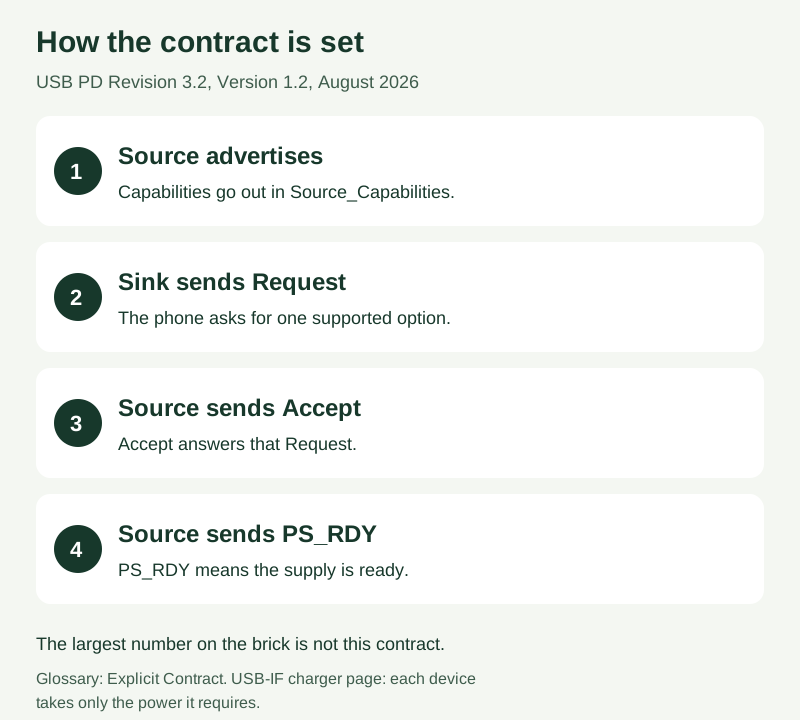
Figure 2. Explicit contract in USB Power Delivery Specification Revision 3.2, Version 1.2, August 2026. USB-IF’s charger page adds that each device takes only the power it requires.
A managed-capability port, in section 3.2.3 of that specification, is the class the text says portable computers, phones, tablets, and shared-capacity docks typically use: a port that does not always provide its maximum PDP. A guaranteed-capability port, in section 3.2.2, is the class the text says simple wall chargers typically use. Those ports set guaranteed PDP equal to maximum PDP. Present PDP stays at that maximum, except when maximum PDP is above 60 W and the cable is 3 A, which sets present PDP to 60 W, or when maximum PDP is above 100 W and the cable is not EPR capable, which holds present PDP to 100 W or below. A laptop port and a wall brick sit in those two classes. Dell’s article matches the practical split: the port offers 5 V at 3 A, while a charger or dock is described with several voltages.
The 60 W and 240 W marks are cable logos
USB-IF’s Cables and Connectors page, fetched 18 October 2026, says that to pass the USB-IF compliance program, USB-C to USB-C cable categories must be labeled with a power capability of 60 W or 240 W, using the power icon or logo. The page’s example is a USB 20 Gbps USB-C to USB-C cable that supports 20 V at 3 A. That cable must be marked with the combined 20 Gbps/60 W logo. The same page says a certified cable does not augment the capabilities of the products you attach.
The 60 W mark and the 240 W mark are cable logos. The charger rating is the output list on the adapter. A power-bank rating is the stored-energy figure on a battery pack. Write three columns. The USB-C cable guide is the next page when that same cable also has to carry files, video, or Android Auto.
The specification’s sections 3.2.2 and 3.2.3 both say that when maximum PDP is above 60 W and the cable’s VBUS current handling is 3 A, the port shall set present PDP to 60 W. When maximum PDP is above 100 W and the cable is not EPR capable, the source stays in SPR mode and present PDP is at most 100 W. EPR mode itself, in section 3.2.5.3, is optional and applies to a port whose maximum PDP is above 100 W and at most 240 W.
Rule of thumb. If the awake row exceeds 3 A at 20 V, the USB-IF 20 V at 3 A cable class is the wrong cable for that row. Lenovo’s first awake pair is 20 V at 4.75 A. The 60 W logo is the 20 V at 3 A class. The other power logo on the same USB-IF page is 240 W.
Worked example
Power at one voltage and current pair is:
P = V × I
Dell’s port row prints 5 V at 3 A and up to 15 W. The product of the printed pair is:
5 V × 3 A = 15 W
That 15 W matches the watt figure Dell prints. The BIOS default row prints 5 V, 3.0 A, and 15 W on one line. The power-saving row prints 5 V, 1.5 A, and 7.5 W. The product of that second pair is:
5 V × 1.5 A = 7.5 W
USB-IF’s cable example supports 20 V at 3 A and must carry the 60 W logo:
20 V × 3 A = 60 W
That 60 W is the cable logo for that example. It is not a charger rating and it is not a power-bank rating.
Lenovo’s first awake pair is printed as 20 V at 4.75 A. The page does not print a watt figure for it. The product is arithmetic:
20 V × 4.75 A = 95 W
The 95 W line is arithmetic on Lenovo’s pair. It is not a second number hidden on the page, and it is not the power a phone will draw.
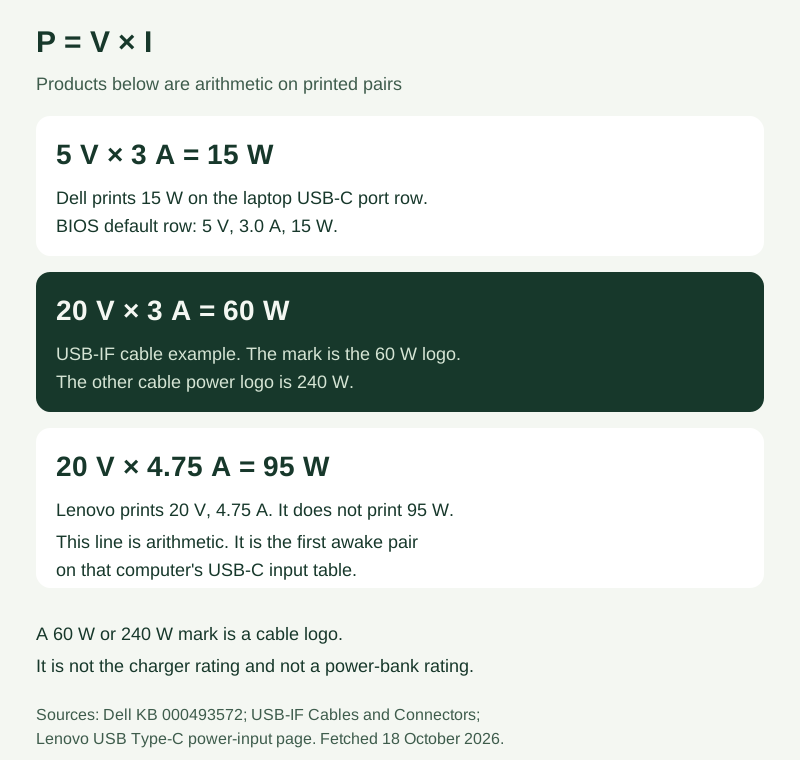
Figure 3. The 15 W product matches a figure Dell prints. The 60 W product is USB-IF’s cable-logo example. The 95 W product is arithmetic on a Lenovo pair the page does not print as watts.
A second line uses time. Let E be energy added and t be time:
t = E / P
Take an assumed 9 Wh to add. The 9 Wh is an assumption for this arithmetic, not a cell capacity from a phone. At Dell’s printed 15 W port ceiling:
t = 9 Wh / 15 W = 0.6 h
At the 30 W floor of Google’s PPS adapter line:
t = 9 Wh / 30 W = 0.3 h
The 0.6 h and 0.3 h results are arithmetic on an assumed energy and on two published ratings. They are not a forecast of battery percentage. Halving the rating doubles the time for the same assumed energy. The hidden cost of leaving the phone on the Dell port, when the phone’s speed path is the 30 W PPS line, is that extra 0.3 h on the assumed 9 Wh, for as long as the session stays at the 15 W ceiling. If the only wall brick then moves to the phone, the ThinkBook page still wants at least 20 V and 2.25 A for the computer, and an awake charge starts at 20 V and 4.75 A. One brick cannot be both supplies unless its own sheet prints both jobs at once.
When a second device shares the supply
On the laptop, Dell’s sharing rule is about the computer’s USB-C ports. The first device gets up to 5 V at 3 A. Further USB-C devices share what remains, and a later device can receive less current. Unplug the other USB-C devices and try the phone alone before you replace the cable. Plug the laptop into its AC adapter first if the phone only misbehaves on battery, because Dell says battery operation can reduce port power.
A wall brick with two sockets is a different sharing problem. The Dell article’s 60 W, 90 W, and “more than 100 W” figures are examples of power into the laptop. They are not a simultaneous phone-plus-laptop split. The Lenovo page does not print a two-port chart either. If the sheet in your hand has no simultaneous line, leave that cell blank. Do not divide the headline by two.
The time ratio above is the cost of a shared session that drops the phone from a 30 W rating class to the 15 W port ceiling. Record the arrangement you will actually pack: phone alone on the brick, phone on the laptop port, or phone and laptop at once.
What to copy down before you travel
Write the job in one sentence. “Charge this phone from the brick.” Or “Charge this phone and this laptop from one outlet.” Then copy the fields the documents actually print.
- The connector. Laptop USB-C port, or the wall brick. For a Dell port, copy 5 V at 3 A and up to 15 W from article 000493572, then check that model’s manual because Dell says output can vary.
- The phone’s line. For a Pixel speed path, copy Google’s PPS adapter at 30 W or more, or a PD adapter at 15 W or more, and the note that speeds vary by Pixel phone.
- The brick’s output list, including any PPS range. If PPS is not printed, leave it blank. Do not copy Table 4.2 onto the brick.
- The cable logo, 60 W or 240 W. A 20 V at 3 A cable is the 60 W example on the USB-IF page.
- The laptop’s input, if the computer must charge too. On the Lenovo page, the floor is 20 V and 2.25 A, and the awake rows start at 20 V and 4.75 A.
- The simultaneous line, or a blank if the sheet has none.
The five-minute accessory compatibility check is the place to keep those fields together. If the phone is still slow after the port, the brick list, and the cable logo have been checked one at a time, use the slow-charging check order.
When this does not apply
This page does not turn a barrel-plug laptop adapter into a USB-C source. The USB-IF examples used here are about USB power. A round laptop plug needs its own manual, and a passive pin adapter is not a PD contract.
A phone whose maker documents 5 V charging from a computer port is outside the Pixel 30 W comparison. Dell’s 15 W ceiling is still the published limit for power leaving a Dell USB-C port, and the phone’s own sheet decides whether that 5 V at 3 A is the intended mode.
A dock with its own adapter is a third supply. Dell notes that a device can work on a powered dock and fail on the laptop port directly. Read the dock’s output list the same way you read the brick. The Lenovo page already treats a dock or display that offers more than 20 V and 2.25 A as a possible source for the computer, which is the laptop’s input question again.
Sources and verification
- Dell, USB-C Power Output Limits on Dell Laptops, article 000493572, last modified 31 July 2026, version 1, fetched 18 October 2026. Port maximum 5 V at 3 A, up to 15 W, including Thunderbolt 3 and 4. Charger or dock examples of 5 V, 9 V, 15 V, and 20 V, and 60 W, 90 W, or more than 100 W into the laptop. Phone-or-tablet row 10 W to 30 W, charges slowly or may not charge. BIOS 15 W and 7.5 W rows. First-device and battery notes. Output can vary by model.
- Lenovo, Power input through a USB Type-C connector, ThinkBook 16p G4 manual path, copyright 2023, fetched 18 October 2026. Input up to 20 V and 7 A. Charger at least 20 V and 2.25 A. Awake pairs, sleep pairs, and the below-floor row. The page body says “your computer.”
- Google, Fix a Pixel phone that won’t charge or turn on, fetched 18 October 2026. Google 30 W USB-C adapter or other PPS adapter rated 30 W or more. Other USB PD adapters rated 15 W or more. Speeds vary by Pixel phone. Drained-battery window up to 25 minutes.
- USB-IF, Certified USB Fast Charger initiative, fetched 18 October 2026. PPS is the Programmable Power Supply feature of USB Power Delivery 3.0.
- USB-IF, USB4, fetched 18 October 2026. Data architecture, up to 80 Gbps on 80 Gbps certified cables.
- USB-IF, USB Charger (USB Power Delivery), fetched 18 October 2026. Up to 240 W. Earlier 100 W at 20 V on 5 A cables. Fixed 28 V, 36 V, and 48 V. Adjustable voltage mode from 15 V. Each device takes only the power it requires. Laptop and power-brick example marked not currently defined by USB.
- USB-IF, Cables and Connectors, fetched 18 October 2026. USB-C to USB-C cables labeled 60 W or 240 W. Example: 20 V at 3 A marked 20 Gbps/60 W. A certified cable does not augment the attached products.
- USB-IF, USB Power Delivery Specification, Revision 3.2, Version 1.2, August 2026, local PDF. Explicit-contract glossary. PPS optional, section 3.2.5.2. Table 4.2 voltage ranges. Sections 3.2.2 and 3.2.3 cable limits at 60 W and 100 W. Section 3.2.5.3 EPR.
Checked 18 October 2026 against those saved pages. Figures are the ones those pages print, scoped to the Dell article, the Lenovo manual page, the Pixel page, and the USB-IF documents named above. The 95 W line and the 9 Wh time line are arithmetic. Dell shop pages for a 130 W adapter redirected away from the product and were not used. The page https://www.usb.org/power-delivery was not used.
Related articles
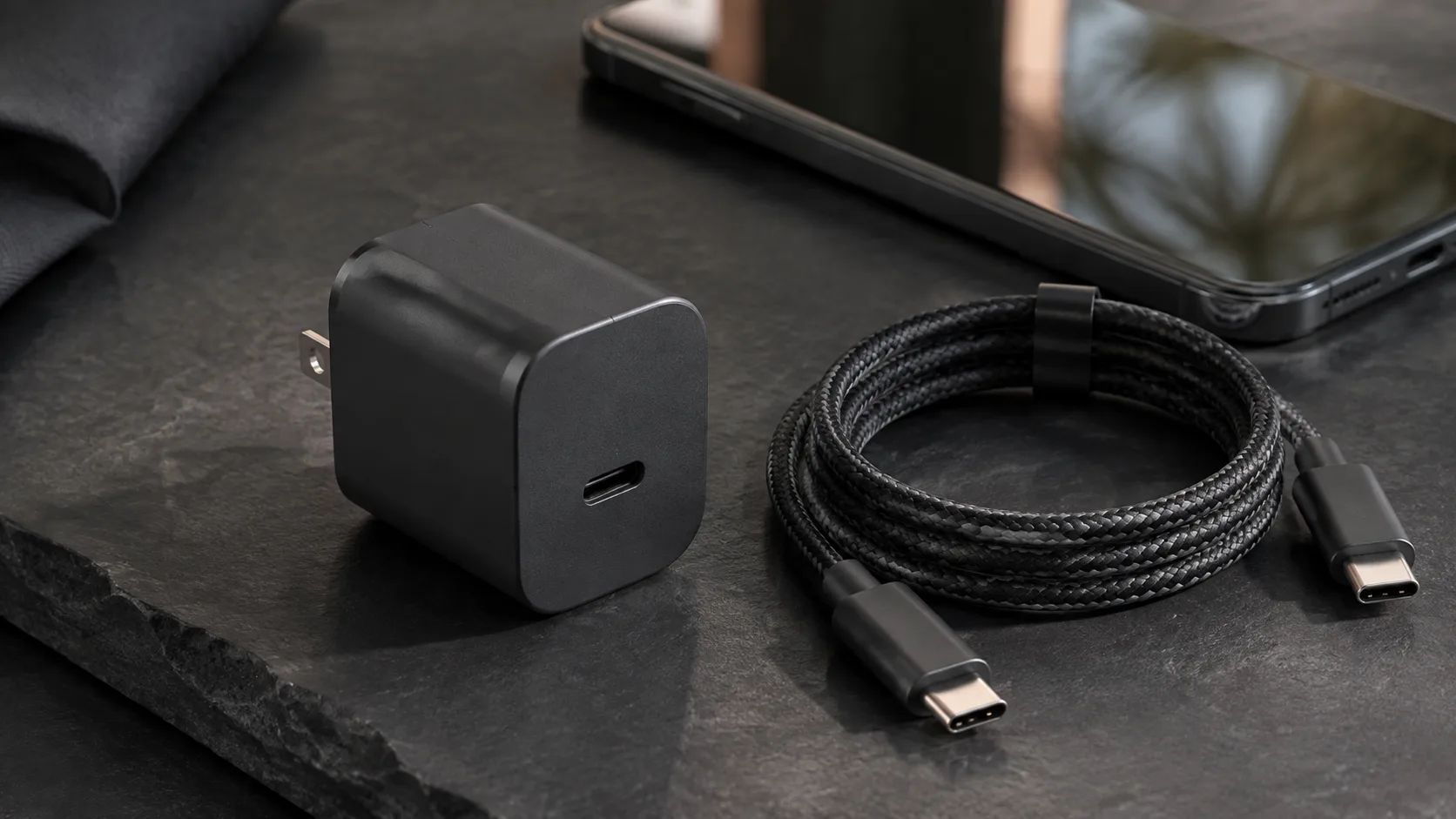
What Is a GaN Charger and Does It Work With Android?
GaN is the semiconductor in the adapter. PPS is a USB PD 3.0 feature. A 60 W or 240 W mark on a USB-C cable is a cable logo, not the charger rating.
Read article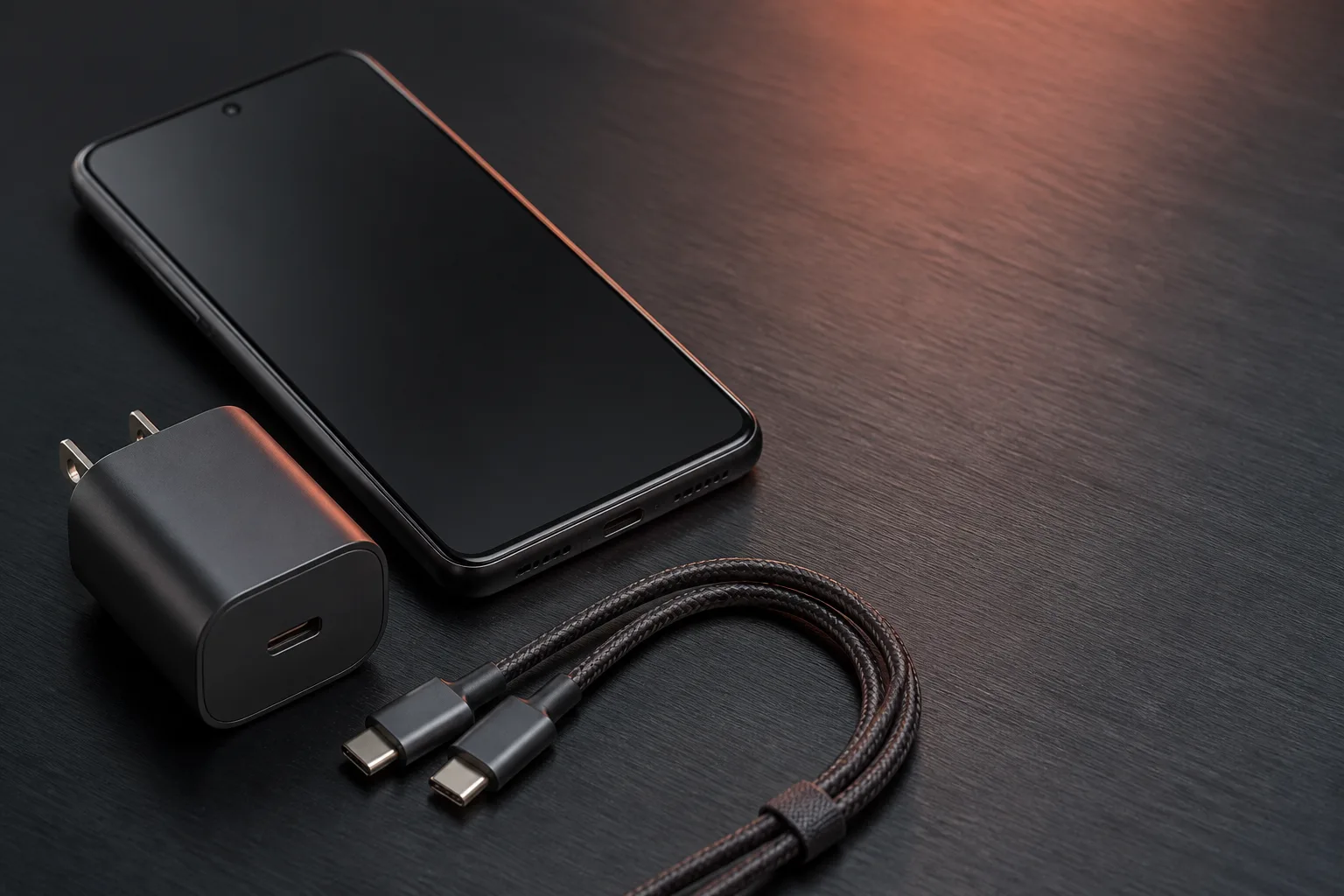
USB PD vs. PPS: The Android Charging Difference That Matters
PPS is optional inside USB PD 3.0. The phone requests a voltage in 20 mV steps. A 60W or 240W mark is a cable logo.
Read article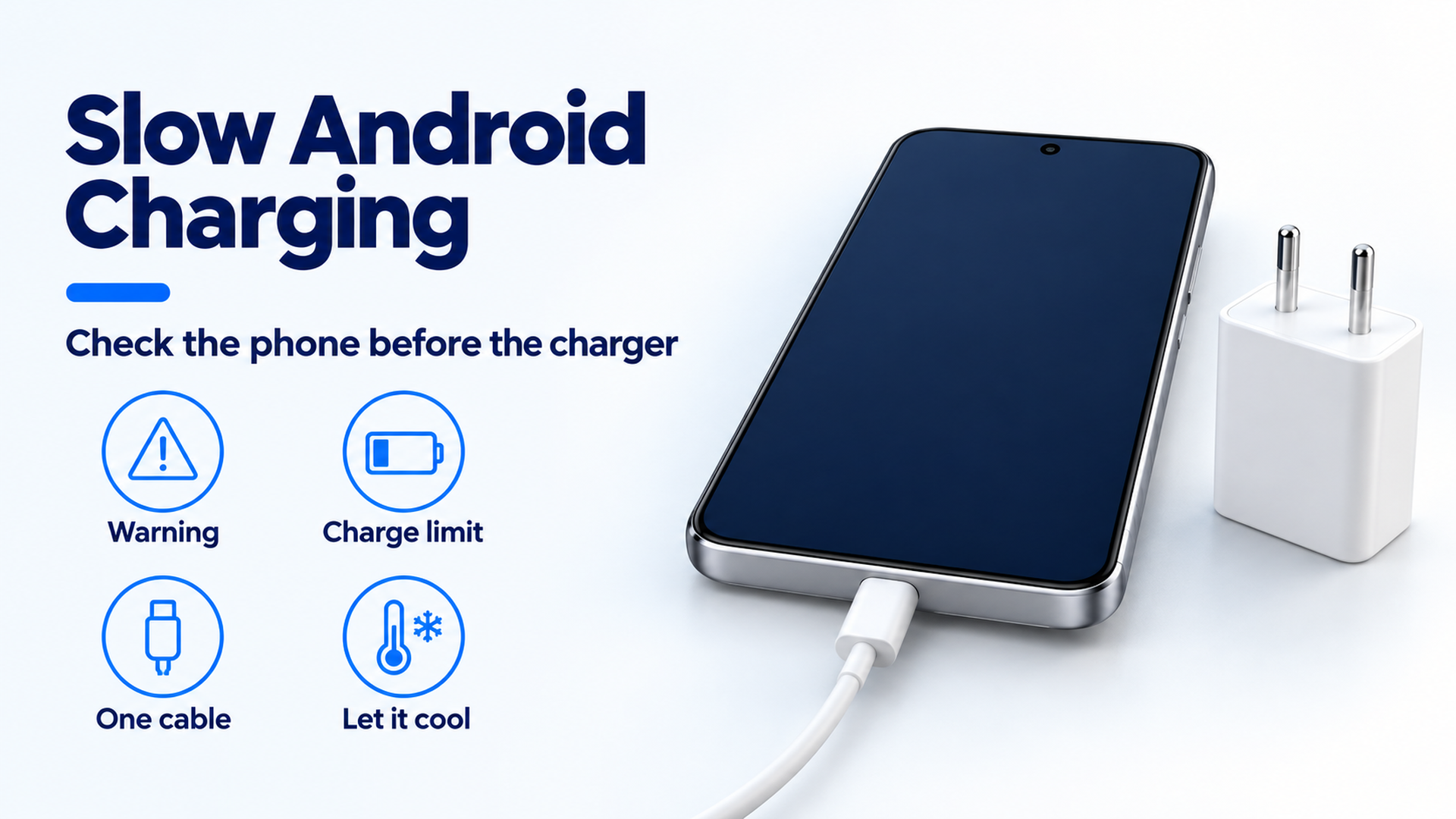
Why Is My Android Phone Charging Slowly? A Practical Check Order
Separate a charge limit, heat protection, a bad cable seat, and a wireless alignment problem before you replace the adapter.
Read article