
Wireless Android Auto Adapter: 5 GHz Wi-Fi and Boot Speed
Separate adapter cold boot from ignition power and phone reconnection, and learn why Android Auto's 5 GHz Wi-Fi requirement promises no startup time.
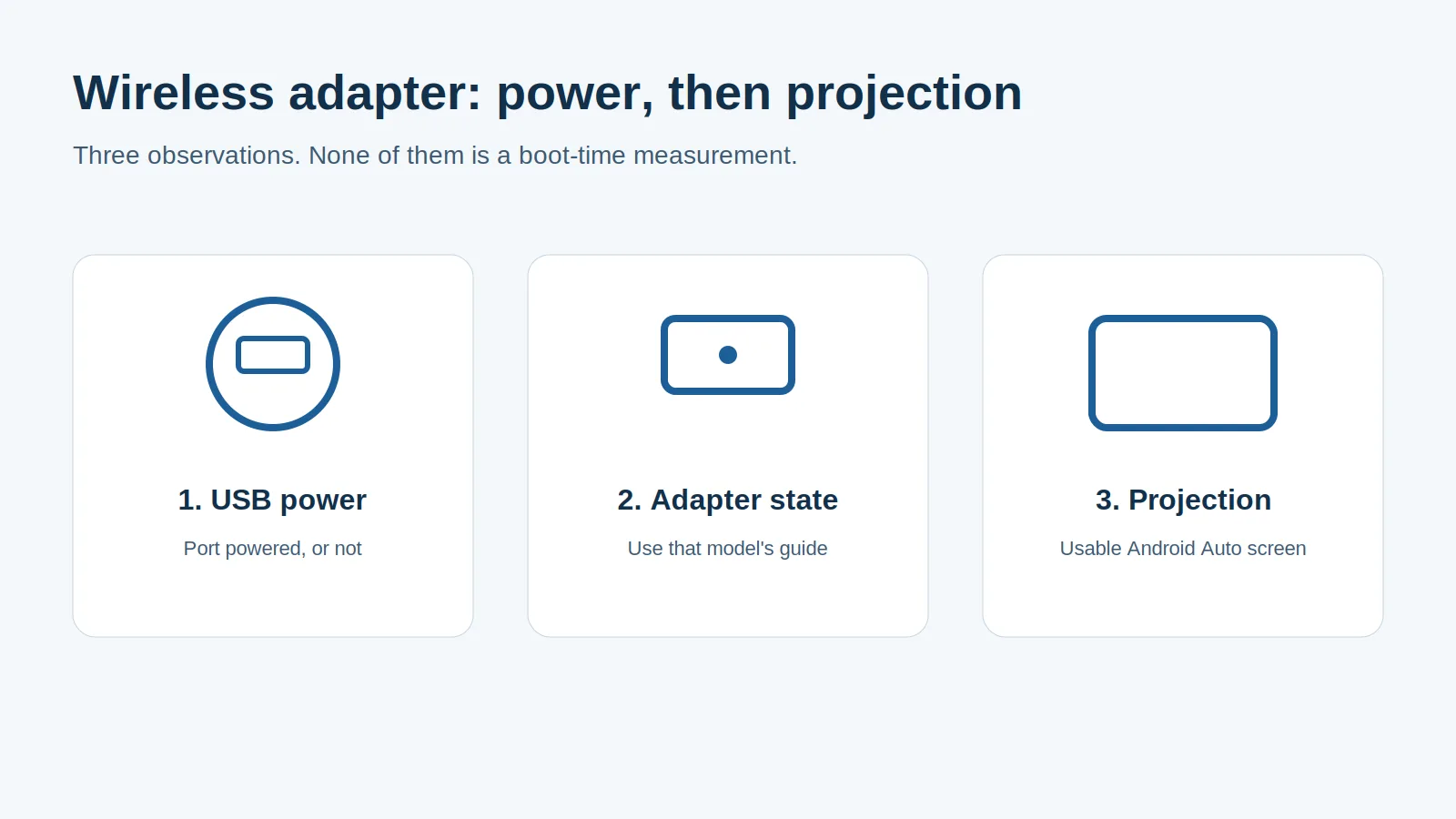
USB power, adapter startup and phone projection are separate dependencies when assessing a return to the car.
A wireless Android Auto adapter can fail to project even while it has power, so timing only its status light gives a misleading boot-speed comparison. Check the working wired Android Auto port first, then distinguish a genuine power-off start from a return to an adapter that stayed powered.
A wireless Android Auto adapter must complete its own startup and establish the phone-to-car projection session before Android Auto returns to the display. Those stages also depend on the car’s USB host, phone availability and the model’s reconnection procedure. Google’s requirements page, retrieved on 19 October 2026, requires a compatible phone with an active data plan and 5 GHz Wi-Fi support, plus Android 11.0 and a compatible car or stereo. The band requirement establishes eligibility; it does not specify how soon the dashboard will appear. Compare starts only after recording whether USB power actually disappeared and which connection stage finished last.
Scroll horizontally to see all columns.
| Starting condition | What needs to happen | What to record | Dominant Failure Mode & Prevention |
|---|---|---|---|
| Cold boot after adapter power loss | Adapter starts, car USB host becomes ready, phone reconnects and projection completes | Confirmed power transition, model-specific status and dashboard result | Power or USB host readiness is mistaken for a Wi-Fi fault; verify the wired port and note the last completed stage |
| Return while USB power remained on | Existing adapter state must reconnect to the returning phone and available head unit | Whether the adapter stayed powered, which phone was selected and whether projection resumed | A retained-power return is compared with a cold boot; label the starting state separately |
| First pairing or setup after reset | Setup prompts, pairing and authorization must finish | Permissions and pairing actions, distinct from ordinary later drives | A manual setup session is advertised as automatic boot performance; keep it out of normal reconnection comparisons |
For model selection, use the existing wireless Android Auto adapter guide. This page focuses on the startup dependencies that a band label cannot resolve.
What must happen before the phone projects again?
The car connection, adapter and phone must all be ready for a working projection session. These dependencies can overlap, so a single adapter LED cannot time the complete process.
Start with a parked wired session using the same phone and the car’s Android Auto USB port. The Motorola MA1 user guide, English NA v18, retrieved on 19 October 2026, explicitly starts setup with wired Android Auto, then replaces the phone cable with the adapter in that same port. A socket that merely charges a phone does not establish this prerequisite. The wired and wireless Android Auto comparison explains the different paths.
Read the status for the exact adapter. The MA1 guide identifies white as powering on, blue as Bluetooth pairing mode and green as connecting Android Auto. It also states that on subsequent drives wireless Android Auto starts after the car connects to the phone for hands-free calling, or HFP. For that model, checking only the adapter’s Bluetooth pairing leaves a documented car-to-phone dependency unresolved.
The AAWireless TWO and TWO+ installation manual, retrieved on 19 October 2026, uses different states: solid green for booting, blinking green for connecting to the phone, blinking blue for connecting to the car screen and solid blue for a successful connection. Do not transfer the MA1 color meanings to AAWireless.
AAWireless’s TWO FAQ describes Bluetooth transferring Wi-Fi credentials, after which the adapter communicates over Wi-Fi. It also notes that Android Auto processes require a Bluetooth connection. That model’s credential exchange does not replace the MA1 manual’s later-drive instructions or justify turning Bluetooth off after setup.
The useful endpoint is a usable Android Auto screen, with the function you need available. Power-on, pairing, Wi-Fi connection and completed projection are useful intermediate observations; they answer different questions.
Does turning the ignition off create a cold boot?
Only if the adapter actually loses power. Ignition position, infotainment shutdown and USB power state need to be recorded separately; the manuals do not establish the shutdown behavior of your vehicle.
For this comparison, a cold boot means startup after adapter power has been removed. A short stop followed by reconnection may start from a different state if the port stayed powered. Similarly, an engine restart does not prove that the adapter restarted: observe the adapter rather than inferring its state from the engine.
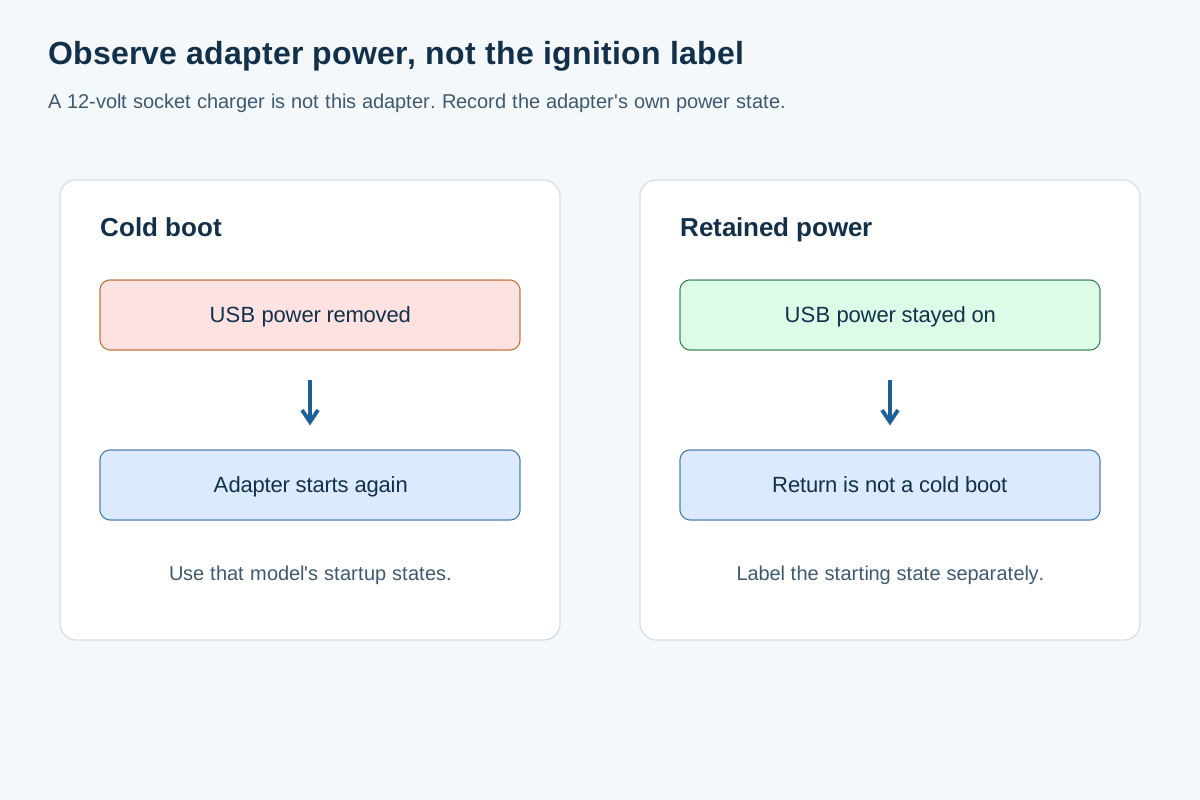
While parked, note the adapter’s state with the infotainment on, after the normal vehicle shutdown procedure, and on return. Follow the vehicle’s instructions for delayed accessory shutdown. If an adapter still shows a powered state, label that observation as retained power rather than a cold start. A dark indicator alone is not proof of electrical isolation if the product can enter standby.
For a deliberate power-off comparison, remove and reconnect the adapter according to its instructions and record that intervention. This isolates adapter power loss but may not reproduce a real ignition cycle, because the head unit could already be ready. Keep that experiment separate from an ordinary return to a fully shut-down vehicle.
Retained power can also complicate which phone reconnects. Record the selected phone before diagnosing a startup failure, especially if several paired phones are nearby. Use documented phone-selection or standby controls where available; do not assume a control from one adapter exists on another.
Why does 5 GHz Wi-Fi establish a requirement rather than a speed promise?
Google’s 5 GHz line describes the phone capability required for wireless projection. It contains no conversion from radio band to total startup duration.
The current Get started with Android Auto wireless block names a compatible Android phone, active data plan, 5 GHz Wi-Fi support, Android 11.0 and a compatible car or stereo. Google directs readers to the phone manufacturer to confirm band support. Its separate EU note adds regulatory requirements for using 5 GHz Wi-Fi in the car; do not apply a US configuration assumption to every market.
The AAWireless TWO/TWO+ manual lists both 2.4 GHz and 5 GHz hardware. That hardware list does not remove Google’s requirement for the phone, and neither line promises a universal time to projection. A qualifying radio cannot make an unready USB host or incomplete phone connection finish automatically.
Keep Wi-Fi band and cellular service separate, too. The phone’s mobile-data connection satisfies a different part of Google’s requirements from the local Wi-Fi link used in wireless projection. A cellular service label does not verify the phone’s Wi-Fi capability.
If the connection is established but radio stability is the remaining issue, use the existing 2.4 GHz versus 5 GHz car-link guide. That page owns the channel lists and channel comparison procedure; changing channels is not a substitute for establishing which startup dependency failed.
How can you compare startup behavior fairly?
Use the same phone, car USB port, adapter firmware and starting condition. Separate automatic reconnection from sessions that required pairing, permissions or manual phone selection.
Rule of thumb: If wired Android Auto has succeeded zero times with this phone at this exact USB port, stop treating a wireless adapter as the fix. Establish the wired prerequisite before comparing wireless startup.
Use a parked record with these fields:
Scroll horizontally to see all columns.
| Record | Why it changes the comparison |
|---|---|
| Phone, Android version, adapter model and firmware, vehicle/head unit | Defines the combination being observed |
| Ignition action and adapter power observation | Distinguishes vehicle return, retained power and deliberate unplug/replug |
| First adapter state and last completed state | Separates boot, phone connection and screen connection |
| Car hands-free connection, where required by the manual | Captures the MA1 later-drive dependency |
| Pairing prompts or other manual actions | Identifies a setup session rather than automatic reconnection |
| Usable Android Auto screen reached, or failure stage | Defines the outcome before any comparison |
Count completed returns separately from any timing observations:
Formula: completion rate = completed automatic reconnections ÷ eligible reconnection attempts × 100%.
Worked example — hypothetical counts, not observations from an adapter: 4 completed reconnections ÷ 5 attempts × 100% = 80%.
Here, eligible attempts share the stated power condition and require no fresh setup. The arithmetic describes only those example attempts. It neither predicts long-term reliability nor says how quickly successful starts finish. Keep failures in the record instead of reporting only the successful returns.
This also exposes hidden setup costs: repeated pairing, manual switching and reconnecting a cable can make an arrangement inconvenient even when projection eventually succeeds. Record those interventions rather than calling every successful screen appearance an automatic start.
What should you change after a failed return?
Change the condition associated with the last completed stage. If the adapter never reaches its documented powered state, inspect the correct USB connection. If it boots but cannot reach the phone, check the intended phone and the model’s Bluetooth/setup instructions. If the phone connects but the screen does not, revisit the car’s wired projection baseline and head-unit readiness.
Google’s setup instructions call for Bluetooth pairing on the first wireless connection and keeping Bluetooth, Wi-Fi and Location Services enabled during setup, with the car parked and infotainment on. Resolve an unfinished setup before comparing ordinary returns. Follow the adapter’s own guide when a reset is necessary; a button-hold instruction is not a boot-time specification.
If Android Auto starts successfully and disconnects later, move to the Android Auto disconnect checks. That is a different failure point from an adapter that never completed its first projection session.
Method and sources
This guide compares documented connection stages and power-state definitions using primary material retrieved on 19 October 2026: Google’s requirements and setup instructions, the MA1 English NA v18 guide, the AAWireless TWO/TWO+ manual and the TWO FAQ.
The completion-rate calculation uses labeled hypothetical counts. Vehicle-specific USB shutdown behavior and whole-system startup duration require observations of the exact installation; this page reports no universal boot-time, throughput or power-consumption figure.
Related articles
Android Auto Developer Mode: Enable, Exit and Understand Its Limits
Find Android Auto's version panel, unlock and exit its developer menu, and check the limits of Unknown sources, resolution and wireless settings.
Read articleTwo Phones in One Car: Android Auto Priority and Switching Checks
Find which device selects your Android Auto phone, separate call priority from projection, and check startup and switching with two phones.
Read article
Steering Wheel Controls Fail on Wireless Android Auto
Compare the factory radio, wired Android Auto, and a wireless adapter on the same phone. Leave any button check you did not run blank.
Read article