
USB-C DAC to Car AUX vs Bluetooth: Sound Quality Checks
Check whether a USB-C DAC can feed your car's AUX input, compare it with Bluetooth under the same conditions, and judge when a ground loop isolator helps.
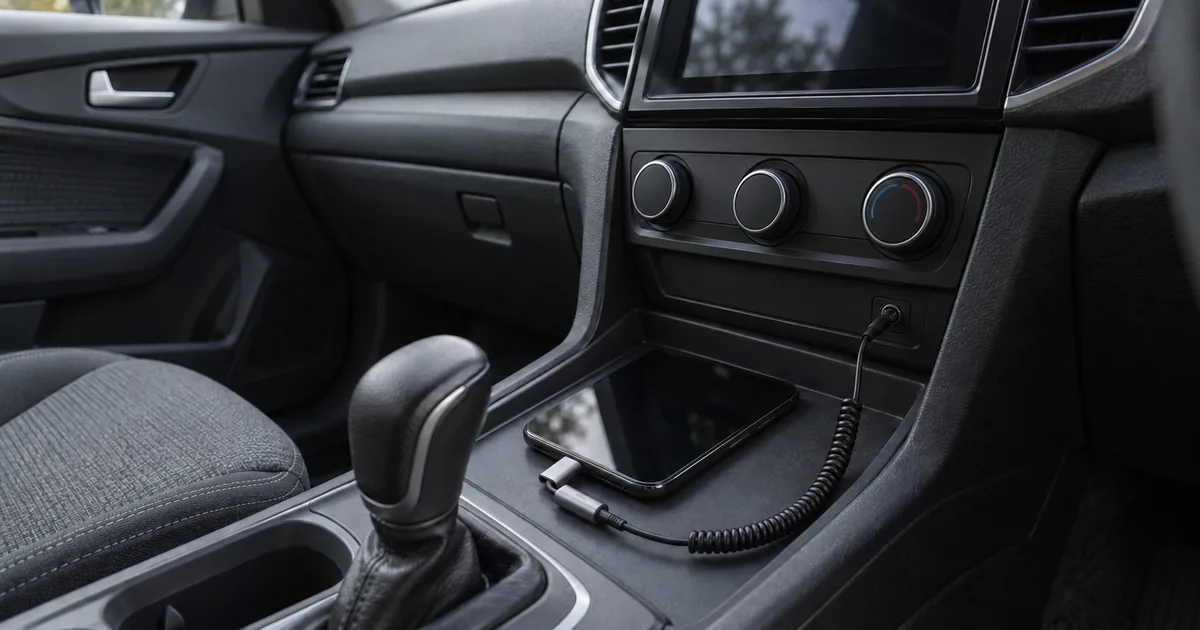
Example of a phone, USB-C DAC dongle and AUX cable in a parked car; the scene does not show a tested or recommended product.
A USB-C DAC bought for the car can leave you with sound that is quieter, buzzier or no different, if the car’s input, the phone’s USB audio support or the volume settings are wrong. Feeding the AUX jack through a DAC skips Bluetooth’s codec step but adds an analog cable that can pick up ground hum, so which path sounds clearer depends on your exact phone, dongle and car. This guide shows where each path converts the audio, how to read the symptom you hear, and how to compare both paths fairly while parked.
A phone-hosted USB-C DAC feeding your car’s AUX jack may sound cleaner than Bluetooth, because the audio reaching the cable has not been re-encoded by a Bluetooth codec. That holds only when your phone supports the DAC, the car has a working AUX input, and the phone’s volume sits just below the point where loud passages distort. The DAC route can also sound worse: an analog AUX cable can carry hum or buzz from a ground difference between phone and car, which a wireless link does not. A ground loop isolator targets hum carried through the AUX cable’s ground path. Noise that reaches the audio another way, which can include some interference while charging, may remain, and an isolator does nothing for distortion from too much input level or for playback gaps. Compare both paths with the same track, settings and loudness before buying more hardware.
Scroll horizontally to see all columns.
| Item | Where to confirm it | Why it matters |
|---|---|---|
| Car AUX input | Owner’s manual; an AUX choice in the car’s audio source menu | The DAC route needs an analog input; a car USB media port is a different connection |
| Phone support for a USB audio device | Phone maker’s support pages; the DAC maker’s compatibility notes | Android supports USB audio in host mode, but phones and DACs differ |
| An active DAC, not a passive adapter | The adapter’s listing describes a DAC or digital conversion | Android’s adapter specification allows only digital-to-analog adapters |
| Source volume | Phone and app volume, set below the point of distortion | Too much input level distorts the AUX input |
| Bluetooth codec | Bluetooth settings for the car on your phone; the car’s manual | The codec is chosen from what both phone and car support |
Can your phone and car use the USB-C DAC route?
You need four things: an AUX input that the car lets you select, an active USB-C DAC that your phone recognises as an audio device, a stereo 3.5 mm cable, and a music app that keeps playing to the dongle. Check all four before you judge the sound, because a missing piece can look like a quality problem.
Start with the car. The Scion multimedia guide is a typical manufacturer example: you connect a portable player to the AUX jack with a stereo mini-plug cable, then choose Entertainment > Audio Source > AUX. The same guide notes that instructions vary by software version, so use your own manual for the menu names. A USB port in the console is not an AUX input; the DAC route sends analog audio, which needs the 3.5 mm jack.
Next, the adapter. Android’s USB-C-to-analog adapter specification allows only digital-to-analog adapters and excludes analog-only adapters. Pick a dongle sold as a DAC or digital adapter. Android’s USB audio documentation says Android 5.0 and later support a subset of USB Audio Class 1 when the phone acts as the USB host; each phone maker decides what its build actually supports.
FiiO’s KA11 phone setup note shows what can go wrong with a real dongle. FiiO warns that some Android phones have compatibility issues, some need an OTG setting switched on, and some show a “non-certified Type-C digital headphone” message that FiiO says you can ignore. Our USB OTG guide explains what that setting does before you buy.
Two practical limits follow from the phone powering the dongle. Android’s documentation warns that a phone may not supply enough power for some USB peripherals and that battery life can drop noticeably even when it does. Your phone’s single USB-C port is also taken, so charging during playback needs an adapter whose maker states that charging and USB audio work together. The USB-C cable guide covers why similar-looking connectors can differ in what they carry.
An AUX feed plays the phone’s audio as an outside source. It does not give you Android Auto’s screen, navigation display or steering-wheel controls; that projection is a separate arrangement, covered in wired versus wireless Android Auto.
Takeaway: Confirm the AUX input, the DAC’s Android support and the app’s playback before comparing sound.
Where does each path convert the sound?
Over Bluetooth, your phone encodes the audio with a codec that both it and the car support, and the car’s receiver decodes it back to digital audio; the car still has to convert that to analog before its speakers. Through a USB-C DAC, the phone sends digital audio over USB and the dongle does the digital-to-analog conversion before the cable. Android’s USB audio documentation notes that any digital signal must eventually be converted to analog to be heard, so the paths differ in where that happens. Both end in the car’s volume and tone controls, amplifier and speakers.
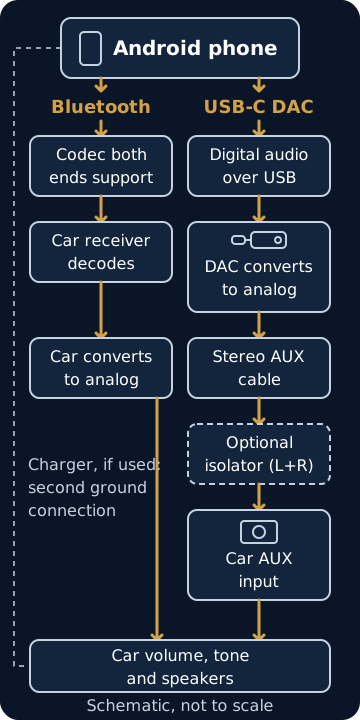
Android’s Bluetooth services documentation describes this negotiation: the Bluetooth stack selects the best codec supported by both the sender and the receiving device, then routes all audio through that encoder. Since Android 8.0, Android has supported AAC, aptX, aptX HD and LDAC in addition to the baseline SBC codec, but device makers choose which codecs to enable and in what priority. Your phone’s codec list says nothing about what your car accepts.
Android’s USB audio page also explains why an external DAC can help. Phones have dense circuit boards where analog signals can pick up crosstalk; digital signals are less susceptible to noise, so moving the DAC onto a separate board lets the final analog stages sit away from that noise. The same page calls this an artificial comparison, and notes that the external design adds complexity, more opportunities for failure and some latency from the USB controllers.
After the dongle, the signal is analog in a cable connecting two devices with their own grounds. That is where a ground difference can add hum, and where an isolator would go. The car then applies its own processing: the Scion guide, for example, offers sound-quality settings in AUX mode. None of the sources reviewed here say whether a given receiver converts the AUX signal back to digital for that processing, so a “bit-perfect” claim for the whole car chain cannot be checked from a dongle’s box.
Common mistake: Reading a DAC’s maximum sample rate as the car’s sound quality. Android’s documented host-mode baseline lists sample rates up to 48 kHz and says more advanced features are not yet claimed, and the car’s input, tone processing and speakers all sit after the DAC.
If your music plays through a wireless projection adapter, neither path here describes it; the wireless Android Auto adapter guide explains that connection.
Takeaway: Bluetooth leaves the digital-to-analog conversion to the car; the DAC route does it in the dongle, before the cable.
Bluetooth vs USB-C DAC to AUX: what changes in a car?
Bluetooth quality depends on which codec your phone and car agree on, and the wireless link keeps the phone electrically separate from the car’s audio input. The DAC route avoids that codec step but exposes an analog cable to ground hum, occupies the USB-C port and carries playback only. Calls, controls and charging often decide the choice as much as sound does.
Scroll horizontally to see all columns.
| Path | What sets the sound | Noise exposure | Calls and controls | Charging while playing |
|---|---|---|---|---|
| Bluetooth (A2DP) | Codec negotiated by phone and car; HD Audio setting where your phone shows one | No signal cable between phone and car | Hands-free calls and track controls as the car’s Bluetooth supports | USB-C port stays free |
| USB-C DAC to AUX | The DAC’s output, the phone’s volume and the car’s AUX input | The analog cable can carry ground-loop hum | A stereo AUX cable carries playback only; keep Bluetooth paired for calls if your car supports it | Needs an adapter documented for charging with USB audio |
| USB-C DAC to AUX with an isolator | As above, plus the isolator’s own loss and frequency response | Interrupts ground-loop current in the cable; noise from other routes may remain | Same as AUX | Same as AUX |
Delay is another difference you may notice when watching video in a parked car. A Bluetooth SIG interview with Sony explains that Bluetooth Classic Audio needs many buffers, which can produce lag between picture and sound, and that LE Audio’s isochronous channels need fewer. The USB route adds its own controller latency, according to Android’s documentation. Neither source gives a figure for a car, and your car may not support LE Audio at all.
If you keep the phone paired for calls while playing music through the DAC, check where media plays after a call ends. Output routing differs between phones, and that behaviour belongs in your comparison notes. The Android accessories overview collects the other car connection guides if your setup includes a mount, charger or projection adapter.
Takeaway: Choose on codec support, noise, calls and charging together, not on sound alone.
How do you diagnose the sound you actually hear?
Name the symptom before buying a fix. Quiet or distorted AUX playback points first to how the volume is split between phone and car; hum that appears only while charging is a clue to a ground difference; playback that stops or gaps points to the app, the connection or projection rather than the cable.
Set the volume split first. The Scion guide advises raising the portable player’s volume to the maximum that does not distort, then setting the listening level with the car’s own volume control. A Subaru audio troubleshooting guide for technicians, covering specific 2008 to 2014 models, traces distortion that occurs only on AUX to too much volume from the connected unit and too much input level at the head unit. A practical order while parked:
- Turn the car’s volume down, then start playback through the DAC.
- Raise the phone’s volume step by step while playing a loud passage; stop one or two steps below the point where it starts to crack or harden.
- Set your listening level with the car’s volume knob.
- Plug and unplug the AUX cable only with the car’s volume down; the Scion guide warns that removing the plug in AUX mode may produce noise.
Scroll horizontally to see all columns.
| What you hear | First check | What it points to |
|---|---|---|
| AUX is quiet even with the car turned up | Phone and app volume; any volume control in the DAC’s app; an AUX level setting if your car’s manual lists one | Too little signal reaching the AUX input |
| Loud passages distort on AUX but not on Bluetooth | Lower the phone’s volume a few steps | Too much input level at the AUX input |
| Hum or buzz only while the phone charges | While parked, remove the charger and keep the same track playing | Consistent with a ground difference between phone and car; not proof |
| Hum or buzz with or without charging, also on the radio | Compare the car’s own sources with the phone disconnected | A car or receiver issue that a plug-in part will not address |
| Sound in one channel only | Push both plugs fully home; try another stereo cable | A connection or cable fault to record before replacing parts |
| Playback stops a few seconds after starting | The music app’s exclusive USB mode and the phone’s battery settings | App or power management, per FiiO’s note |
| Gaps while wireless Android Auto is connected | The wireless Android Auto audio stutter guide | A projection issue, outside this comparison |
FiiO’s note on its KA11 dongle explains the stop-after-seconds case: on some phones, power management stops a third-party player in the background while it holds exclusive USB access, and FiiO suggests allowing the app to keep running while the phone sleeps. If adding a charge-through adapter makes the phone charge very slowly, the slow-charging check order separates power from cable issues.
Takeaway: Fix the volume split and identify the symptom before blaming the DAC or Bluetooth.
What can a ground loop isolator fix?
An isolator can stop hum or buzz caused by a ground voltage difference between the two ends of an analog audio cable. Noise that couples in by another route, which can include some interference while charging, may remain, so an isolator cannot guarantee quiet playback. It does not fix distortion from too much input level, noise the car makes on all its sources, Bluetooth artifacts or dropouts.
Jensen Transformers’ ground loop explanation describes the mechanism. Small voltage differences normally exist between the grounds at the sending and receiving ends of a signal cable. In an unbalanced connection, the kind a 3.5 mm AUX cable uses, that difference adds directly to the signal and generally produces hum or buzz. A transformer isolator passes the audio magnetically across an electrically insulated barrier, which stops the current that the ground difference drives through the cable. Transformers of this type are passive and need no power.
Charging gives the phone a second electrical connection to the car alongside the AUX cable’s ground. Noise that appears only while charging fits Jensen’s description, but power-supply interference can produce noise too, so the charging test is a clue rather than a diagnosis.
A plug-in isolator for this setup goes in the analog section: between the stereo cable and the car’s AUX jack, or between the DAC and the cable. It must pass both stereo channels, and it is a separate part from the DAC. Jensen’s own car example for its CI-2RR isolator places it between a radio and a power amplifier, which is a different point in the system from a phone feeding the AUX input.
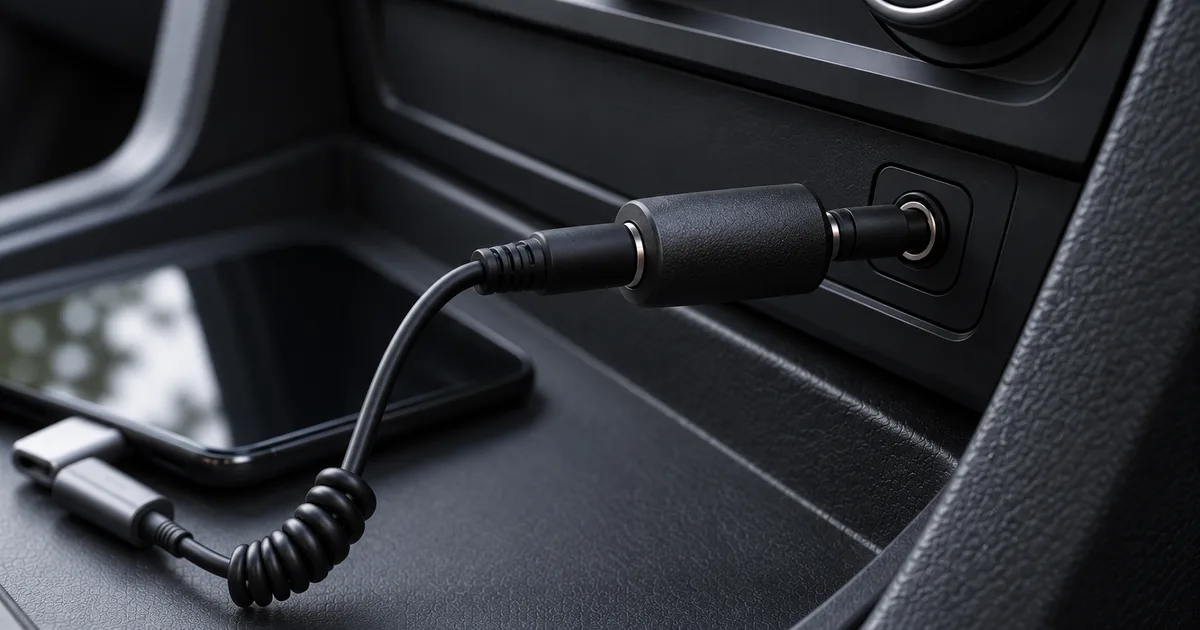
Judge an isolator by its published specifications. Jensen’s CI-2RR page lists insertion loss, frequency response at 20 Hz and 20 kHz, distortion, maximum input level, and the source and load impedances it is designed for, each under stated test conditions. Those values belong to that RCA model; use the headings as a checklist for any isolator you consider. If a listing publishes none of them, the listing cannot tell you how the part affects level or treble.
Common mistake: Buying an isolator for distortion. If loud passages crack only on AUX, lower the phone’s volume first; an isolator addresses hum from a ground difference, not an overloaded input.
Stop if the hum persists with an isolator, if it is also present on the car’s own sources, or if a suggested fix involves rewiring. Take it to the car or receiver maker’s support, or to a qualified installer. Do not remove grounds or modify the car’s wiring to chase noise.
Takeaway: Add an isolator only for hum that behaves like a ground loop, and check its published specifications.
Run a parked comparison
A fair comparison keeps the phone, track, app and settings the same and changes only the path. Match the loudness as closely as you can by ear, because a level difference makes the comparison hard to judge. Use the record below for your own setup; we have not filled it in or tested these paths.
- Park safely. Note whether the engine is running and whether the phone is charging.
- Choose two tracks you know well, from the same app at the same streaming or file quality.
- Turn off, or write down, the app’s equalizer, volume normalisation and the car’s tone and loudness settings.
- Play a short passage over Bluetooth. Note the HD Audio setting for the car if your phone shows one. Set a comfortable car volume.
- Switch the car to AUX and the phone to the DAC, without charging. Use the volume split from the diagnosis section, then adjust the car’s volume until the passage sounds as loud as before.
- Repeat with charging connected only if your adapter’s maker documents charging with USB audio.
- Add an isolator only if step 5 or 6 produced hum.
- Return to the first path to check whether your impression repeats.
Scroll horizontally to see all columns.
| Path | Phone, app, DAC versions | Phone volume | Car volume | Charging | Hum or buzz | Distortion on loud parts | Notes and preference |
|---|---|---|---|---|---|---|---|
| Bluetooth | |||||||
| DAC to AUX, not charging | |||||||
| DAC to AUX, charging | |||||||
| DAC to AUX with isolator |
Write “not tried” where a path does not apply. Before buying anything new, record the exact phone, car and dongle in the five-minute compatibility check.
Takeaway: A repeatable preference under matched conditions is more useful than a general verdict.
What should you check before buying a DAC or isolator?
Look for documented Android USB audio support, power and connector details, volume behaviour and an explicit statement about charging during playback. For an isolator, look for stereo 3.5 mm connections and published electrical specifications. A generous return window matters because only your car can confirm the result.
Scroll horizontally to see all columns.
| Item | Where to confirm it | Why it matters |
|---|---|---|
| Android USB audio support | The DAC maker’s compatibility or support page | Phones differ; Android advises accessory makers to document supported features and class compliance |
| OTG or USB setting | Your phone maker’s support pages | Some phones need it switched on before the DAC works |
| Power requirement | The DAC’s listing | The phone powers the dongle and can lose battery faster |
| Output connector | The DAC’s listing | AUX needs a 3.5 mm stereo output; a 4.4 mm balanced output is a different connection |
| Volume behaviour | The listing or the maker’s app | A separate DAC volume changes how you split phone and car volume |
| Charging during playback | The adapter maker’s documentation | Charging and USB audio together are not guaranteed |
| Isolator connectors and channels | The isolator’s listing | 3.5 mm stereo on both sides, two channels |
| Isolator specifications | The datasheet | Insertion loss, frequency response, distortion, maximum level and impedances under stated conditions |
| Return terms | The retailer | You can confirm compatibility only in your own car |
For checks that go beyond audio, the compatibility guides cover cables, chargers and other accessories.
Takeaway: Buy from listings that document Android support and specifications, with a return option.
When this does not apply
This guide covers ordinary music playback from an Android phone into a car’s 3.5 mm AUX input or over Bluetooth. If your problem is Android Auto ending its session, follow the disconnection checks. If Bluetooth audio changed after a receiver update, the head unit firmware guide explains how to identify and verify the installed version.
It does not cover cars without an AUX input, Bluetooth receivers plugged into AUX, amplifier or speaker installation, or noise that affects every source in the car. Make all setting changes and comparisons while parked.
Takeaway: Use these checks for phone playback into AUX or Bluetooth, within what your car documents.
FAQ
Which is better for sound quality in a car, AUX or Bluetooth?
Neither wins in every car; the result depends on your codec, DAC, cable and car. Use the parked comparison with matched loudness. If the car has no AUX jack, or you want calls on the same link without a second connection, Bluetooth is the practical choice.
Does AUX have better sound quality than USB-C?
They are not separate options for a phone without a headphone jack: USB-C carries digital audio to a DAC, which then feeds the AUX cable. The comparison that matters is DAC-to-AUX against Bluetooth, or against a car’s own USB media input if it plays your files.
Do you lose audio quality over Bluetooth?
Bluetooth re-encodes audio with the codec both devices support, so the result depends on that codec, the source file and the car’s processing. No matched listening comparison is provided here; test your own car under equal conditions.
Does AUX do lossless?
AUX carries an analog signal, so “lossless,” which describes digital encoding, does not apply to the cable itself. What reaches your speakers depends on the DAC, the phone’s volume, the car’s input and any processing the receiver applies after AUX.
Why is the AUX so quiet in my car?
Usually too little level is leaving the phone. Raise the phone’s volume to just below distortion, then set loudness with the car, following the volume-split steps. If the DAC has its own volume control, that level counts too.
How to connect ground loop isolator car audio?
For a phone feeding AUX, it plugs in at the car’s AUX jack or between the DAC and the cable, and needs no power; see where an isolator goes. Fit one only after your parked tests point to ground-loop hum.
Does a ground loop isolator affect sound quality?
It can change level and treble slightly; the part’s published insertion loss and frequency response show how much. Once the hum is gone, switch between playback with and without the isolator at matched loudness to check that music has not become duller.
Can I listen to Hi-Res audio over Bluetooth?
Some phone-and-car pairs can, if both ends support a codec built for it. Sony says its LDAC codec can carry Hi-Res Audio at its highest bitrate, and its automatic mode lowers the bitrate when the connection is poor. Hi-Res is not the same as lossless: Qualcomm separately describes aptX Lossless as designed for up to 24-bit/48 kHz lossless audio when the file is lossless and radio conditions are suitable. Your car’s manual or Bluetooth settings show which codecs it accepts.
Method and sources
This is a documentation-led guide: no DAC, isolator, phone or car was tested for it, and the comparison record is a method for your own setup. Images show example setups and a schematic of connection paths; they are not test photographs or measurements. Our research methodology explains how we separate source research from testing.
Sources checked October 11, 2026: Android Open Source Project pages on USB digital audio, the USB-C-to-analog adapter specification and Bluetooth services; Qualcomm’s Snapdragon Sound FAQ; Sony’s LDAC page; the Bluetooth SIG interview on LE Audio (March 2, 2023); FiiO’s KA11 phone setup note (modified June 13, 2025); the Scion multimedia AUX guide; Subaru’s Panasonic audio troubleshooting guide via NHTSA; and Jensen Transformers’ ground loop explanation and CI-2RR specifications. Manufacturer pages establish their own instructions and specifications, not results in your car.
Related reading
- Five-minute compatibility check: record exact models before buying an adapter.
- Android USB OTG guide: understand the USB host setting a DAC may need.
- Wired vs wireless Android Auto: see how projection differs from ordinary playback.
Related articles
Wireless Android Auto: 2.4 vs 5 GHz and Wi-Fi Channels
Understand the 5 GHz requirement, compare supported channels 36 and 149, and check US DFS and regional limits before changing a wireless car link.
Read article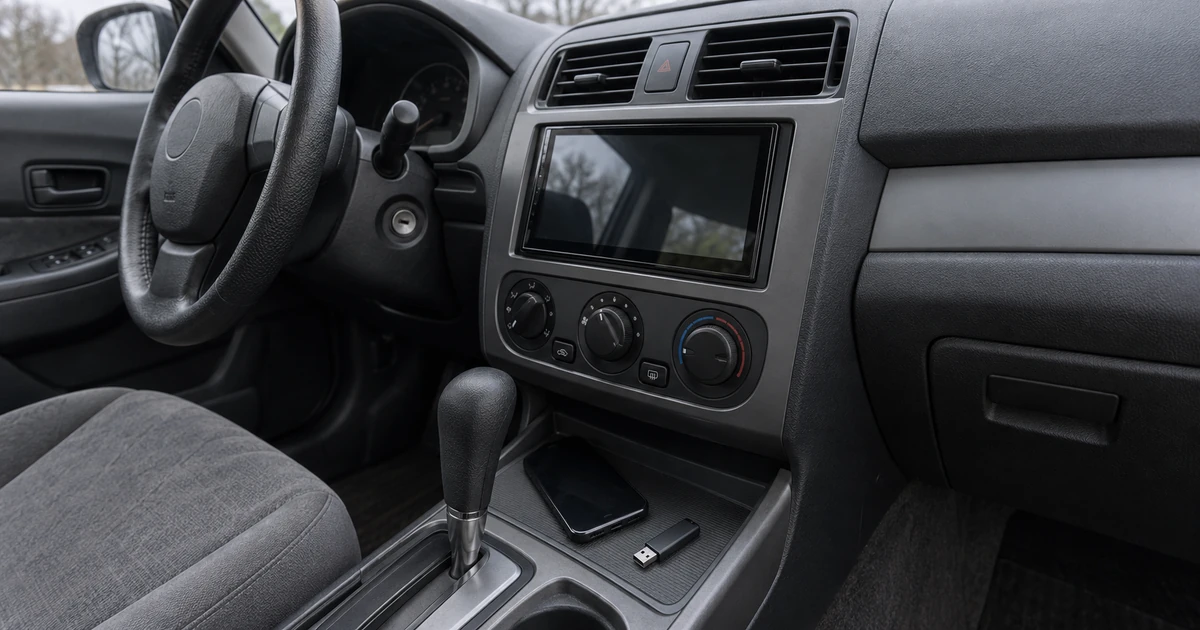
Update Head Unit Firmware for Android Auto
Identify the right receiver update, prepare its USB files, check MCU package limits, and verify the version before retesting Android Auto.
Read article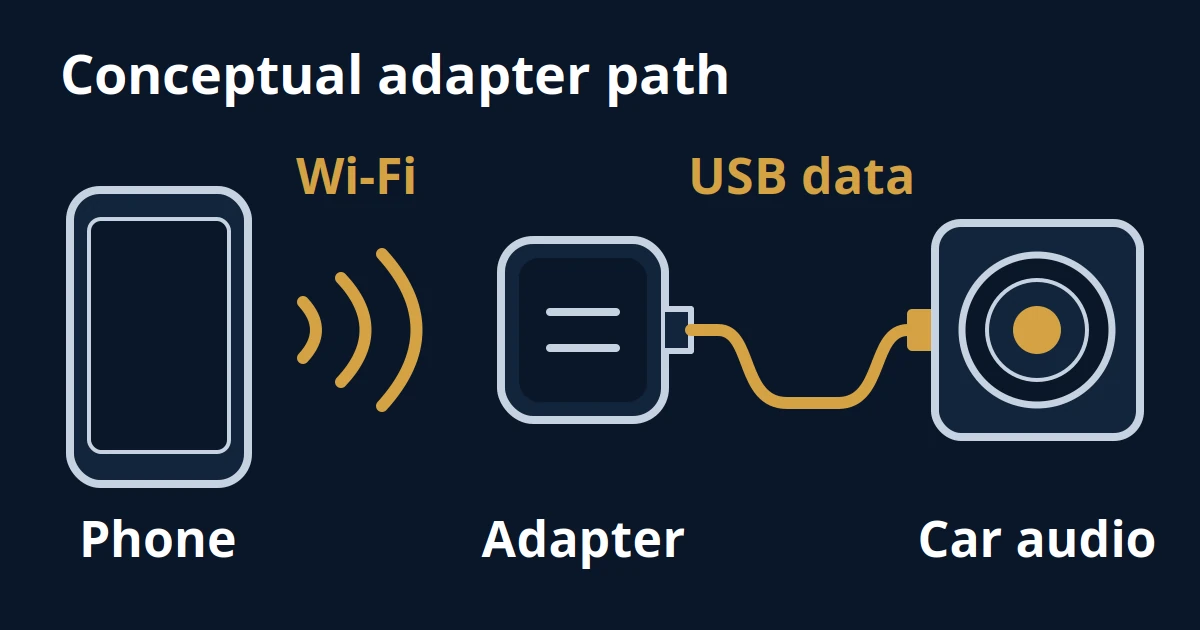
Wireless Android Auto Audio Stutter: A Fix Order
Separate music gaps from sound delay, check documented adapter controls, and compare dashcam or hotspot Wi-Fi changes with a reversible record.
Read article